Category: Web Design

  • One-Page Website vs Full Website: Which Do I Need?

    One-Page Website vs Full Website: Which Do I Need?

    Introduction

    Not every business needs a five-page website, and not every business is well served by a single page either. Here’s how to actually decide which one fits, rather than guessing.

    Key Takeaway: A one-page site suits a focused, single-service business. A full multi-page site suits a business with several distinct services or enough content to genuinely need separate pages — the right choice depends on what you’re actually offering, not what looks more impressive.

    In this article, you’ll learn:

    • What a one-page website actually is
    • What a full multi-page website adds
    • A simple test to work out which fits your business
    • What each costs
    • Whether you can start with one and move to the other later

    1. What a one-page website actually is

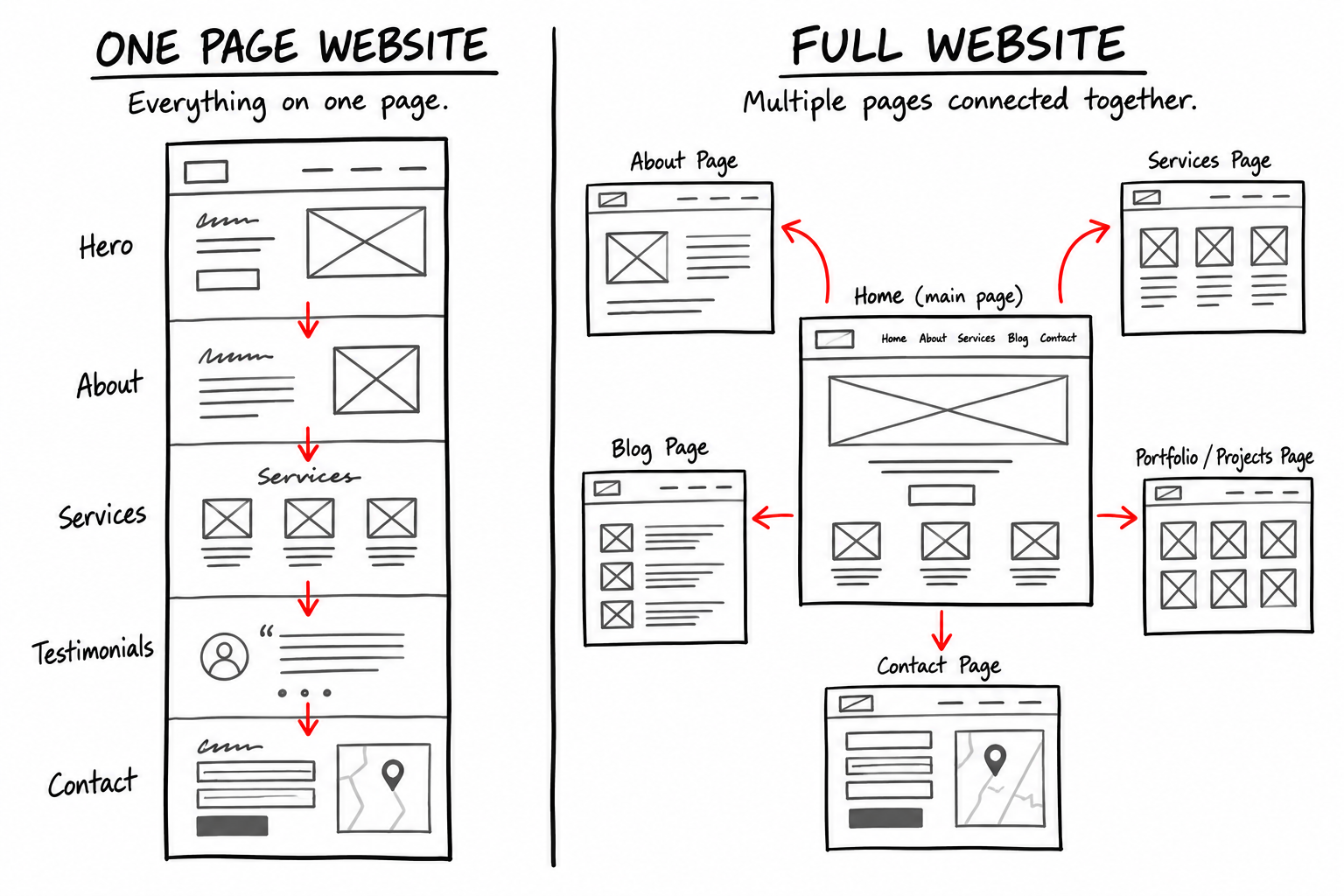
    Everything — services, about, contact — sits on a single scrolling page, usually with in-page navigation jumping between sections rather than separate URLs.

    Where it works well

    A sole trader or single-location business offering one clear service, where a visitor doesn’t need to dig through multiple pages to understand what you do.

    2. What a full multi-page site adds

    Dedicated pages per service or topic

    Each service gets its own page — more room to explain it properly, and each page can be found directly in search rather than competing with every other service for the same spot.

    Better for local SEO

    Separate pages let each one target its own specific search terms, rather than one homepage trying to rank for everything a business offers at once.

    3. A simple test to work out which fits

    1. Do you offer one clear service, or several distinct ones?
    2. Would a visitor need more than a scroll’s worth of information to understand what you do?
    3. Are you relying on local search to bring in new customers, or mostly on referrals and existing contacts?
    Choose one-page if Choose a full site if
    You offer a single, focused service You offer several distinct services
    Most customers come via referral You’re relying on local search to find new customers
    You want the fastest, cheapest professional presence You want each service to rank independently

    4. What each costs

    One-page website

    From £400 — a mobile-optimised single-page build, contact/WhatsApp buttons, basic on-site SEO, domain connection and one revision round.

    Small business website (multi-page)

    From £700 — up to 5 pages, a proper contact form, on-site SEO, Google Business Profile link-up, with revision rounds set out in the proposal.

    Pro Tip: If you’re not sure which fits, count how many genuinely distinct services you offer. Two or fewer usually works fine as one page; three or more starts to benefit from dedicated pages.

    5. Can you start with one and move to the other later?

    Yes — and it’s a reasonable way to start

    A one-page site now, expanded into a full multi-page site once the business grows or a second service takes off, is a perfectly sensible path — rather than overbuilding before you know what’s actually needed.

    Frequently Asked Questions

    Is a one-page site bad for SEO?

    Not inherently — it’s simply limited to ranking for one main topic, rather than several. Fine if that matches your business.

    Can a one-page site still have a blog?

    Usually not practically — a blog benefits from its own archive and individual post pages, which pushes a site toward the multi-page structure.

    How do I know if I have “enough content” for a full site?

    If you can genuinely write a full page’s worth of useful, non-repetitive content about each service, you likely have enough for a multi-page site.

    Does a full site cost much more to maintain afterward?

    Modestly — more pages means slightly more to review over time, but the Website Care plans (from £29/month) cover either size the same way.

    Can I upgrade from one-page to multi-page without starting over?

    Often yes — much of the existing content and structure can be reused rather than rebuilt from scratch.

    Conclusion

    The right choice comes down to how many distinct services you offer and how much you’re relying on local search to find new customers — not which one sounds more impressive. Start with what actually fits today; you can expand later.

    See both options, with real pricing, on our Website Design & Redesign page.


    Written by MTU Projects.

  • What Happens to My Website If I Stop Paying a Monthly Plan?

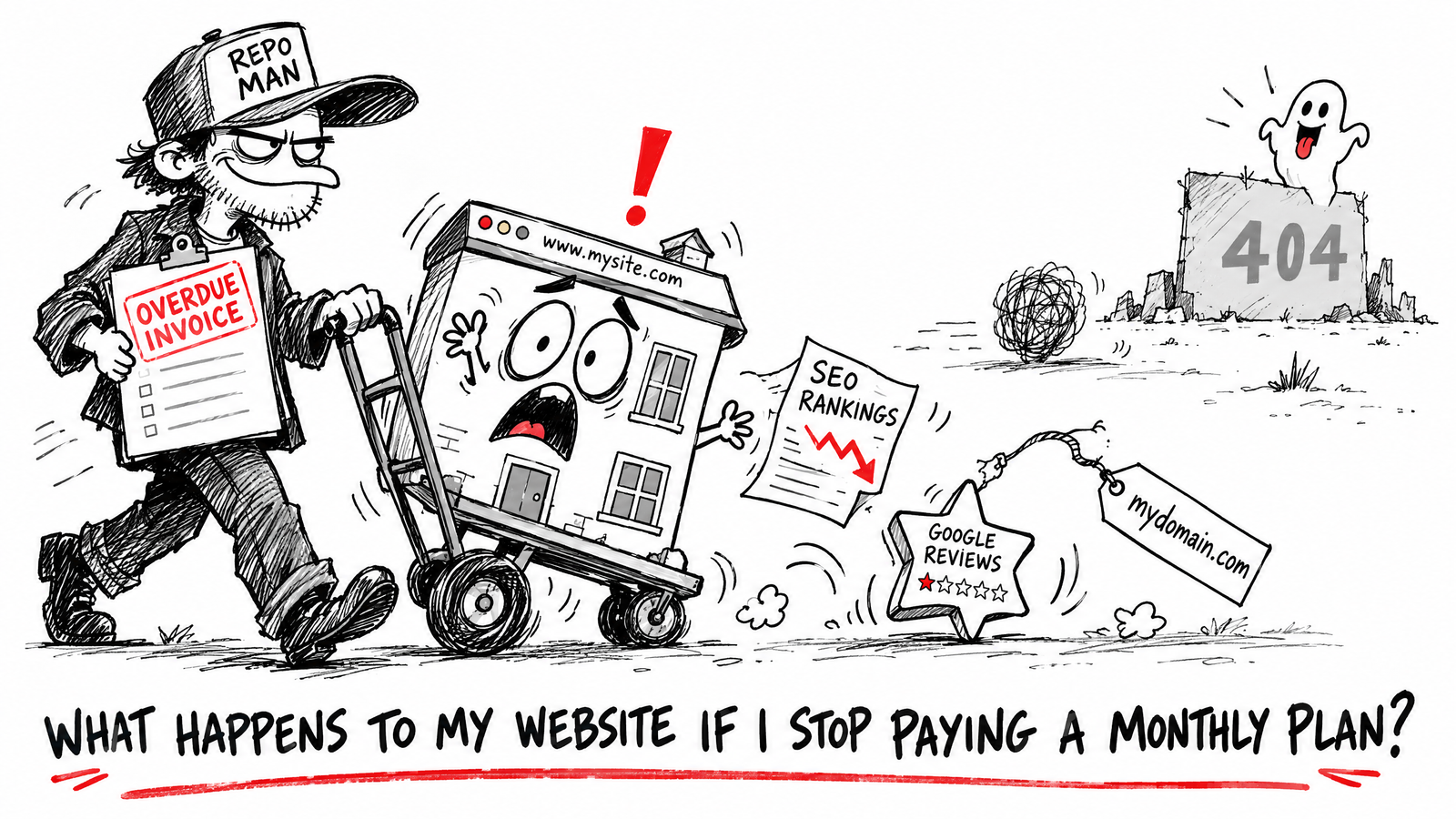
    What Happens to My Website If I Stop Paying a Monthly Plan?

    Introduction

    A lot of website builders and agencies sell websites on a monthly subscription — sometimes with no upfront cost at all. It sounds appealing until you ask the obvious follow-up question: what happens to the site if you ever stop paying?

    Key Takeaway: With most subscription website models, the site stops working the moment you stop paying — you never actually owned it. A one-off fixed price with outright ownership means the site stays yours regardless of what happens later.

    In this article, you’ll learn:

    • How subscription website models actually work
    • What “you don’t own it” really means in practice
    • The alternative: paying once and owning it outright
    • Questions to ask before signing up to any website deal
    • What ownership actually protects you against

    1. How subscription website models actually work

    Many “free” or low-cost website offers are really a monthly rental — the site lives on the provider’s platform, using their template, tied to their ongoing payment. Stop paying, and the site typically goes offline, sometimes within days.

    Why this model exists

    It lowers the barrier to entry — no big upfront cost — which makes it an easy sell. The cost shows up later, spread out, and often exceeds a one-off price over a couple of years.

    2. What “you don’t own it” really means

    The domain

    Some providers register your domain in a way that’s difficult or impossible to transfer if you leave — worth checking before you commit, not after.

    The design and content

    If the site is built on a proprietary platform, you often can’t take the design, the code, or sometimes even the written content with you to another provider.

    The consequence

    If the provider closes, raises prices, or you simply want to switch, you may be starting again from scratch — new site, new cost, no continuity.

    3. The alternative: pay once, own it outright

    How it works

    A deposit secures the work, a fixed price covers the agreed build, and once the balance is paid in full, the website, your data and your content transfer to you outright.

    What that actually protects

    | Subscription model | Own it outright |
    |—|—|
    | Site goes offline if you stop paying | Site stays live regardless |
    | Tied to one provider’s platform | You can move hosts freely |
    | Ongoing cost forever | One fixed cost, optional care plan after |

    Pro Tip: Ask directly — “if I stop paying, what exactly happens to my site, my domain and my content?” — before signing anything. A vague answer is itself an answer.

    4. Questions to ask before signing up to any website deal

    1. Do I own the domain, or is it registered in the provider’s name?
    2. Can I take the design and content elsewhere if I leave?
    3. What happens to the site the day I stop paying?
    4. Is there a one-off option instead of a subscription?

    5. What ownership actually protects you against

    Provider changes

    If a provider changes pricing, gets acquired, or shuts down, an owned site isn’t affected — it moves with you.

    Your own cash flow

    A quiet month in the business shouldn’t put your website at risk of going offline — which is exactly the exposure a pure subscription model creates.

    Frequently Asked Questions

    Are all subscription website services like this?

    Not universally, but it’s common enough to be worth checking explicitly rather than assuming.

    Can I still get ongoing support if I own my site outright?

    Yes — ownership and ongoing care aren’t mutually exclusive. A care plan (like MTU Projects’ Website Care, from £29/month) is optional, not a condition of the site staying live.

    Is a one-off price always more expensive upfront than a subscription?

    Usually yes, upfront — but a subscription’s total cost over a couple of years often exceeds a one-off fixed price, without ever reaching ownership.

    What if I already have a subscription-based site and want to leave?

    Check what you can actually take with you first — domain, content, images — then a redesign can usually reuse whatever’s genuinely portable.

    Does “owning” the site mean I have to manage it myself?

    No — you can own it outright and still choose to pay for ongoing management if you’d rather not handle updates yourself.

    Conclusion

    Before agreeing to any website deal, ask plainly what happens if you stop paying. A subscription model that goes offline the moment payments stop means you never really owned the site — a fixed price with outright ownership means it stays yours no matter what.

    See MTU Projects’ fixed pricing and ownership terms on the Website Design & Redesign page.


    Written by MTU Projects.

  • Can I Build My Own Website Instead of Hiring Someone?

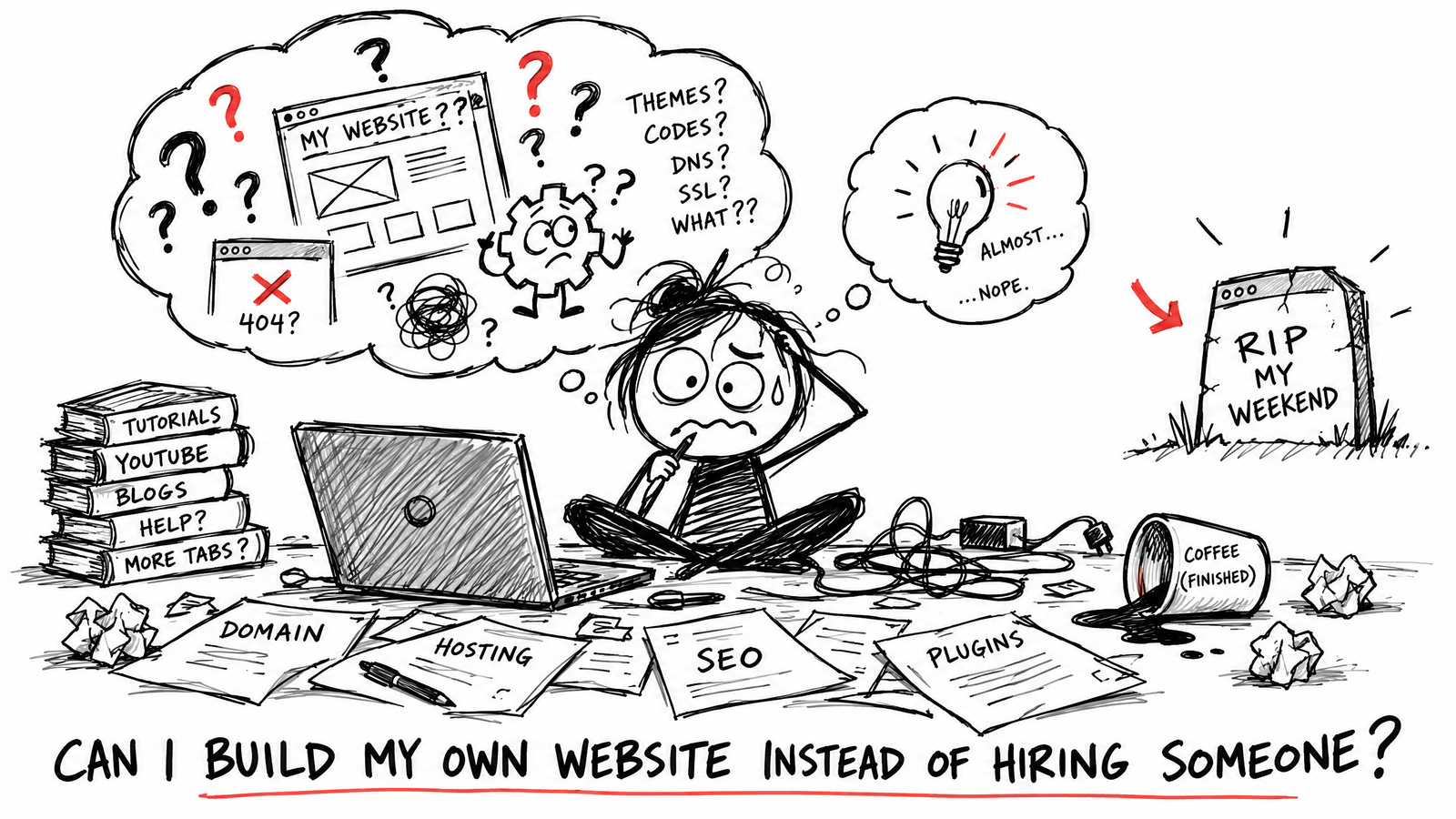
    Can I Build My Own Website Instead of Hiring Someone?

    Introduction

    Wix, Squarespace and similar tools have made DIY websites genuinely easy to build. So it’s a fair question: why pay someone when you could build it yourself for the cost of a monthly subscription? The honest answer depends on what you’re actually trying to achieve.

    Key Takeaway: DIY builders are a reasonable choice for a very simple presence on a tight budget and some spare time. Hiring someone is usually the better trade when your time is worth more than the money saved, or the site needs to actually convert visitors into enquiries.

    In this article, you’ll learn:

    • What DIY builders are genuinely good at
    • Where they typically fall short for a local business
    • The real cost comparison, including your own time
    • A middle-ground option most people don’t consider
    • How to decide which fits your situation

    1. What DIY builders are genuinely good at

    Drag-and-drop builders are genuinely easy to use, come with hundreds of starter templates, and can get a basic site online within a day for very little money. For a hobby project or a very early-stage side business, that’s a real advantage.

    Where they work well

    A simple one-page presence, a portfolio, or a placeholder site while you decide whether the business is worth investing in further.

    2. Where DIY builders typically fall short

    Time, not money, is the real cost

    Building a site properly — writing the copy, choosing a template, getting it to look right on mobile, setting up basic SEO — takes real hours. For a business owner already stretched thin, that time has a cost even if the tool itself is cheap.

    Generic templates look generic

    The same starter templates get used by thousands of businesses. It’s rarely obvious to visitors, but it does mean your site is competing on a level playing field with every other business using the same builder.

    SEO is often an afterthought

    Most builders support basic SEO, but getting a site to actually rank for local search terms usually needs more structure and content strategy than the default setup provides.

    3. The real cost comparison

    | | DIY builder | Hiring someone |
    |—|—|—|
    | Upfront cost | Low (often free – £20/month) | Higher (from £400 for a small site) |
    | Your time | Significant — hours to days | Minimal — you provide content, they build |
    | Result | Generic template, DIY quality | Built specifically for your business |
    | Ongoing | You manage it yourself | Can be handed off entirely |

    4. A middle ground most people don’t consider

    Start small, hire when it matters

    A focused, professionally built one-page site can cost less than a year of a premium DIY builder subscription — without the hours spent building it yourself. It’s worth comparing the actual numbers before assuming DIY is automatically cheaper.

    Pro Tip: Add up a DIY builder’s monthly cost over 2–3 years — it often comes surprisingly close to, or exceeds, a one-off fixed price for a professionally built site you then own outright.

    5. How to decide which fits your situation

    DIY probably makes sense if

    You have genuine spare time, the site is very simple, and you’re not relying on it to generate enquiries yet.

    Hiring probably makes sense if

    Your time is better spent running the business, the site needs to actually convert visitors, or you want it to look credible against competitors who’ve had theirs professionally built.

    Frequently Asked Questions

    Can I start with DIY and hire someone later?

    Yes, though moving content and redesigning later is extra work — worth factoring in if you expect to outgrow the DIY version.

    Are DIY builders bad for SEO?

    Not inherently, but the default setup rarely does more than the basics — real local SEO usually needs deliberate structure and content work.

    Is it cheaper to hire a freelancer or a big agency?

    Usually a freelancer or small studio, since overhead is lower — often £300–£2,000 for a small site versus £3,000+ at a larger agency for similar scope.

    What if I’ve already built a DIY site and it’s not working?

    A redesign is quoted on the work actually required — if content can genuinely be reused, that usually lowers the cost.

    Do I lose anything by switching from DIY to a hired build?

    Only the time already invested in the DIY version — your domain and any existing content can usually carry over.

    Conclusion

    DIY builders are a reasonable choice for a simple site and spare time. Hiring someone usually wins once your time has real value, or the site needs to genuinely convert visitors — and a small, fixed-price professional build often costs less than people assume once DIY’s time cost is counted honestly.

    See real, fixed pricing on our Website Design & Redesign page — starting from £400.


    Written by MTU Projects.

  • What’s Included in a Website Design Package?

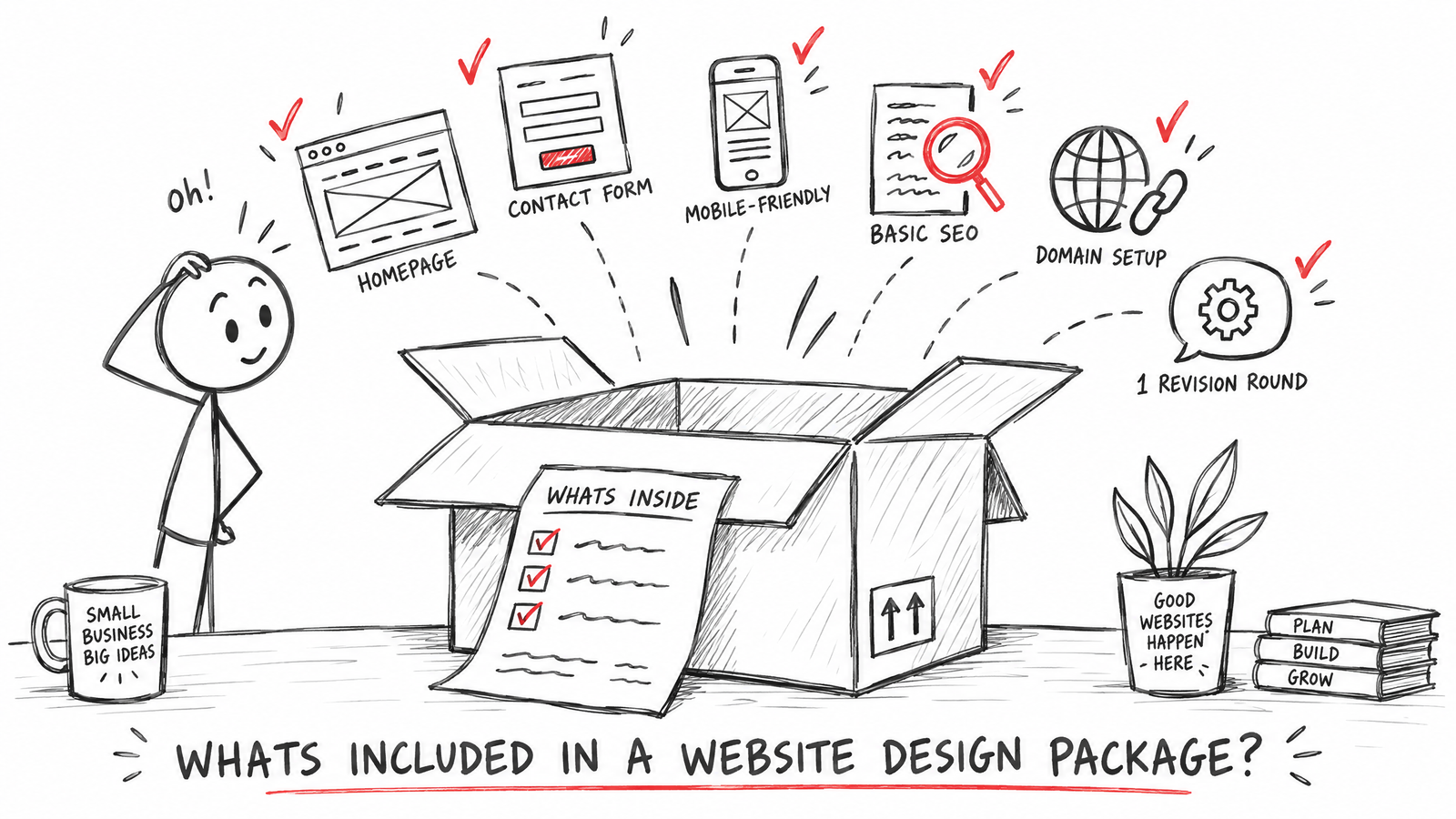
    What’s Included in a Website Design Package?

    Introduction

    “Website design” means very different things depending on who’s quoting you — some prices include hosting and SEO, others charge those separately and only cover the design itself. Here’s what’s typically inside a package, and what to check before you assume something is included.

    Key Takeaway: A proper website package should tell you exactly what’s included — pages, revisions, SEO, ownership — in writing, before you pay a deposit.

    In this article, you’ll learn:

    • What’s typically included at each price tier
    • What’s commonly billed separately
    • Questions to ask before agreeing a scope
    • Why revision rounds matter more than people expect
    • What “you own it” actually means in practice

    1. What’s typically included

    One-page website

    A single-page build, mobile optimisation, contact or WhatsApp buttons, basic on-site SEO, domain connection, and usually one revision round.

    Small business website

    Up to around 5 pages, mobile-first build, a working contact form, on-site SEO, a Google Business Profile link-up, with revision rounds set out in the proposal.

    Custom website

    Everything above plus whatever functionality is scoped in — booking systems, online payments, galleries, integrations — individually priced because the work varies too much for a flat rate.

    2. What’s commonly billed separately

    Domain and third-party costs

    Domain registration and any third-party platform costs (booking software, payment processors) are usually billed separately unless specifically included in the proposal.

    Ongoing maintenance

    Unless a care plan is included, sites typically aren’t guaranteed ongoing support beyond an agreed launch/handover period — worth knowing before something breaks six months later.

    Extra pages and revisions

    | Included in scope | Billed as extra |
    |—|—|
    | The agreed number of pages | Additional pages beyond that |
    | The agreed revision rounds | Extra rounds beyond what’s agreed |
    | The core functionality scoped | New functionality added after the proposal |

    3. Questions to ask before agreeing a scope

    1. Exactly how many pages, and is the content for them included or do I need to write it?
    2. How many revision rounds, and what counts as a revision versus a new request?
    3. Is hosting included, and for how long?
    4. Do I own the finished site outright once it’s paid for?

    4. Why revision rounds matter more than people expect

    What a “round” actually covers

    A revision round is usually a single, consolidated set of change requests — not unlimited back-and-forth. The proposal should state the number of rounds included so there’s no ambiguity once the build is under way.

    Pro Tip: Send all your feedback for a round in one message rather than piecemeal over several days — it keeps the process faster and avoids eating into your included rounds unnecessarily.

    5. What “you own it” actually means

    During the build

    Some studios retain ownership of the files and designs until the final invoice is paid — standard practice, not a red flag.

    After completion

    Once paid in full, ownership of the completed website, your data and your content should transfer to you outright — no ongoing contract required just to keep the site live, and no dependency on staying subscribed to a particular studio or platform.

    Frequently Asked Questions

    Is SEO always included in a website package?

    Basic on-site SEO usually is; ongoing SEO work or a full local SEO campaign is typically a separate, dedicated service.

    What happens if I need more pages than I originally scoped?

    Extra pages are normally quoted and agreed before they’re added, at a stated per-page rate — not billed as a surprise afterward.

    Do I need to provide my own photos and copy?

    Depends on the studio — some include copywriting, most expect you to provide content or photos, or charge separately for professional copywriting.

    Can I move my website to a different host later?

    If you own the site outright, yes — you shouldn’t be locked into one host or provider.

    What’s a fair number of revision rounds for a small site?

    One to two rounds is typical for a small business site — enough to refine the build without an open-ended back-and-forth.

    Conclusion

    A website package should spell out exactly what’s included — pages, revisions, SEO basics, ownership — in writing, before any deposit is paid. Anything vague on those points is worth clarifying before you sign off.

    See exactly what’s included at each tier on our Website Design & Redesign page.


    Written by MTU Projects.

  • Do I Need a Website If I Already Have Social Media?

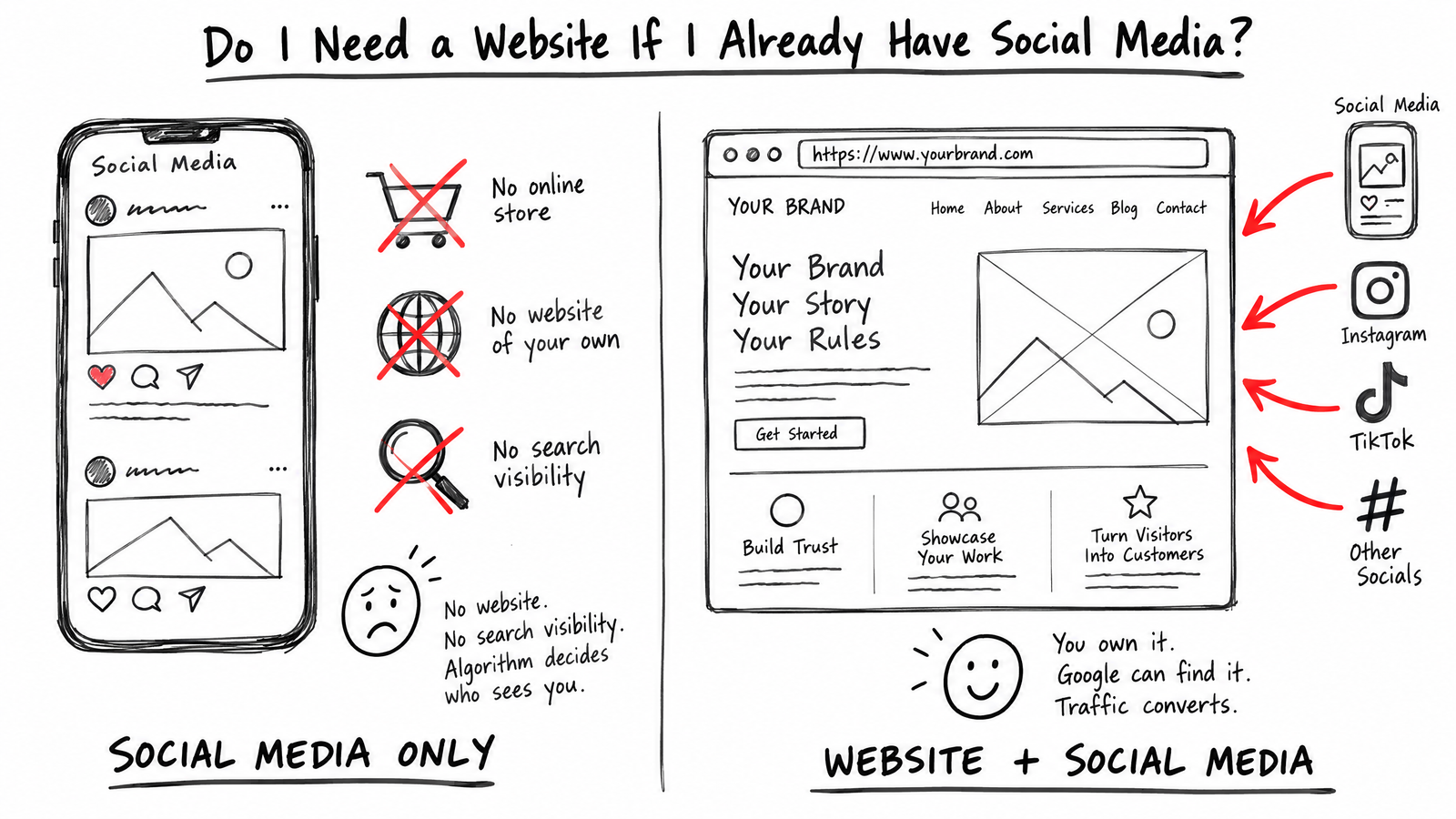
    Do I Need a Website If I Already Have Social Media?

    Introduction

    “I’ve already got a Facebook page and Instagram, do I really need a website too?” It’s a fair question — social media is free to set up and your customers are already there. But there’s one thing about it worth thinking through before you decide a website isn’t necessary.

    Key Takeaway: Social media is rented space — a platform you don’t own and don’t control. A website is the one piece of your business’s online presence that’s genuinely yours.

    In this article, you’ll learn:

    • The real difference between owning and renting your online presence
    • What actually happens if a platform bans or restricts your account
    • What a website does that social media can’t
    • Whether you need both, or just one
    • How to think about this if budget is tight

    1. Owning versus renting your online presence

    A website is the modern equivalent of owning your own shop — a piece of real estate that’s yours. Social media is more like renting a market stall inside someone else’s building: useful, visible, but ultimately on someone else’s terms.

    Who actually controls what

    On your website, you control the content, the design, and whether it stays online. On a social platform, the platform controls the algorithm, the account rules, and whether your page stays visible — or stays up at all.

    2. What actually happens if your account gets restricted

    Accounts get suspended, restricted or banned for reasons that are often unclear and hard to appeal — a flagged post, an automated moderation error, a hacked account. Businesses running entirely on social media have genuinely lost their entire online presence overnight this way.

    What you’re left with

    No website behind it, and there’s often nothing to redirect customers to — no way for people to find you until the account (if ever) comes back.

    3. What a website does that social media can’t

    Ranks in Google search

    Social media profiles rarely rank well for local search terms. A website with proper local SEO can appear when someone searches for your service directly — not just when they’re already following you.

    Holds detailed information

    Pricing, service pages, FAQs — information a social profile’s format simply isn’t built to hold in a structured, findable way.

    Looks credible to someone checking you out

    | Social media only | Website + social media |
    |—|—|
    | Looks like a side project to some customers | Signals an established business |
    | No control if the platform changes | You control the presence entirely |
    | Limited space for detail | Room for full service info, pricing, proof |

    4. Do you need both, or just one?

    Most local businesses benefit from both, used for different things. Social media is good for visibility and engagement where your customers already scroll. A website is where that visibility converts into an actual enquiry, and where you’re not dependent on a platform’s goodwill to stay reachable.

    Pro Tip: Think of your website as HQ and social media as your outposts — social drives people toward the HQ, rather than replacing it.

    5. If budget is genuinely tight

    Start small, not nothing

    A focused one-page website costs less than most people assume — from £400 for a professional, mobile-friendly presence with your contact details and services clearly laid out. That’s a lower bar than “full website or nothing.”

    What to protect first

    If budget only stretches to one thing, protect the parts that establish trust and let people contact you — not every possible feature.

    Frequently Asked Questions

    Can’t I just use a free “link in bio” tool instead of a website?

    Those work as a stopgap, but they’re still hosted on someone else’s platform and rarely support local SEO or detailed service information.

    Is a Facebook page better than a website for a very small business?

    It’s easier and free to set up, but it’s not a substitute long-term — you’re building on land you don’t own.

    What if my customers only ever find me through Instagram?

    That’s still worth protecting with a website behind it — if the account goes down, a website gives customers somewhere to still find you.

    Do I need to redesign my whole online presence to add a website?

    No — a website works alongside your existing social profiles, it doesn’t replace them.

    How quickly can a basic website be up and running?

    Depends on scope and how quickly content comes back from you — a one-page site is usually the fastest to launch.

    Conclusion

    Social media is a useful part of a local business’s presence, but it’s rented, not owned — and the moment a platform changes the rules or an account gets restricted, that presence can disappear. A website is the one piece of digital real estate that’s genuinely yours.

    See what a focused, affordable website actually looks like on our Website Design & Redesign page, starting from £400.


    Written by MTU Projects.

  • How Much Does a Website Cost for a Small Business in the UK?

    How Much Does a Website Cost for a Small Business in the UK?

    Introduction

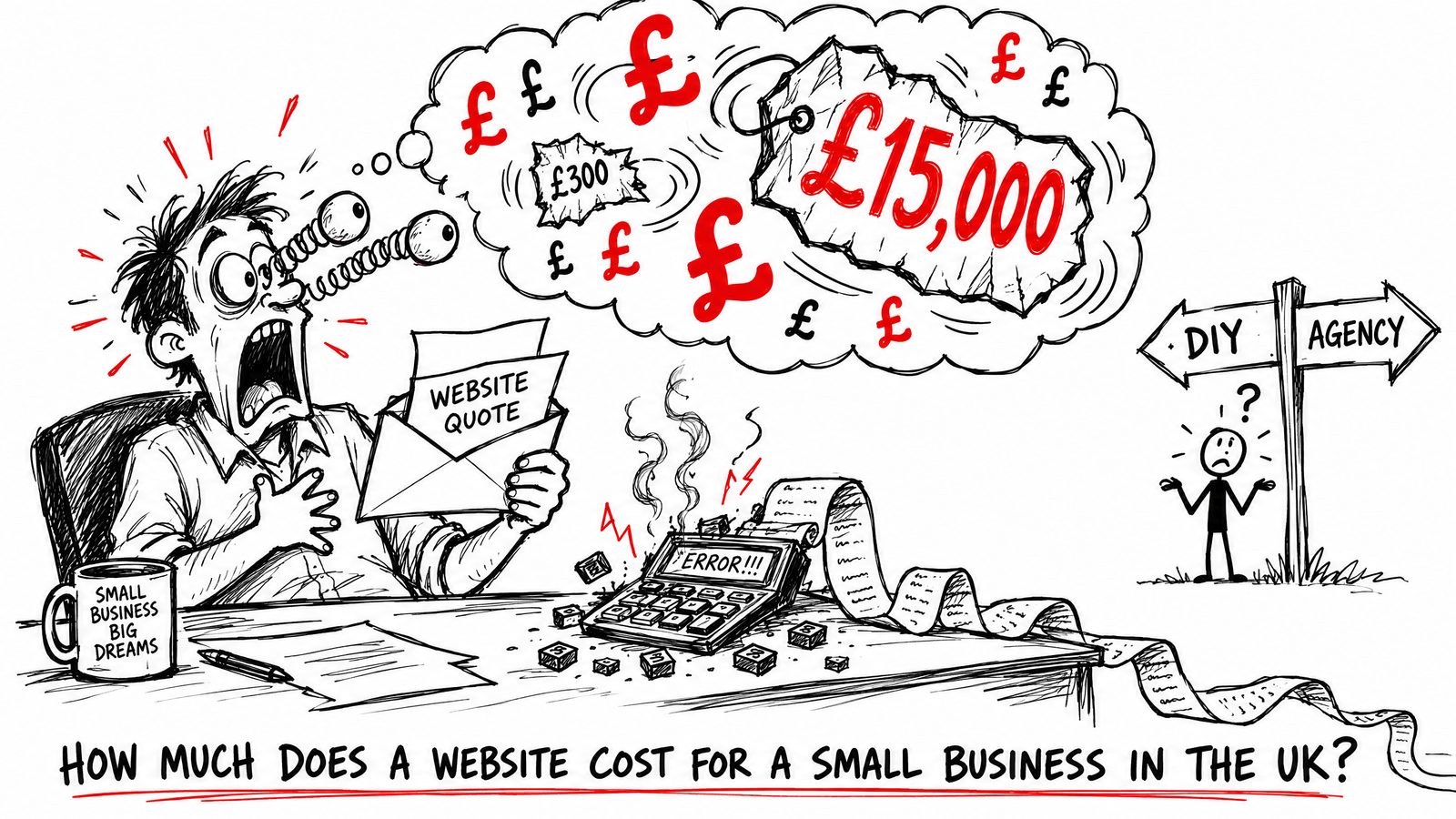
    If you’ve searched for this, you’ve probably already found a dozen different answers — £300, £3,000, £15,000. All of them can be true, depending on what you’re actually buying. Here’s the honest breakdown for a UK small business, not a vague “it depends.”

    Key Takeaway: A straightforward small business website in the UK typically costs £300–£700. Anything beyond that is paying for complexity you may or may not need — know which one you’re buying before you get a quote.

    In this article, you’ll learn:

    • What a realistic price range actually looks like, and why it varies so much
    • What you get at each price point
    • The costs people forget to ask about
    • When it’s worth paying more, and when it isn’t
    • How to compare quotes properly

    1. What a realistic price range looks like

    For a UK small business, three rough bands cover most quotes:

    Under £500

    A focused one-page site — mobile-friendly, a contact method, on-site SEO basics. Right for a sole trader who needs a professional presence, not a content-heavy site.

    £700–£1,500

    A fuller 3–5 page site with a proper contact form, blog setup and Google Business Profile link-up. This is where most local service businesses land.

    £1,200 and up

    Custom functionality — booking systems, online payments, galleries — scoped individually because the work varies too much for a fixed number.

    2. What actually drives the price

    Page count and content

    More pages means more copywriting, more structure, more time — the single biggest driver of cost after functionality.

    Custom functionality

    A booking calendar, online payments or a members area all add real development time a template can’t cover.

    Who’s building it

    | Freelancer / small studio | Large agency |
    |—|—|
    | Lower overhead, more direct contact | Higher overhead, more process |
    | Often £300–£2,000 for a small site | Often £3,000+ for the same scope |
    | You’re usually talking to the person doing the work | You’re usually talking to an account manager |

    3. The costs people forget to ask about

    Ongoing costs

    • Domain registration — typically £10–£15/year
    • Hosting — varies, often bundled into a monthly care plan
    • Ongoing maintenance — optional, but sites without any care plan aren’t guaranteed support if something breaks

    One-off extras

    • Extra pages beyond the agreed scope
    • Extra revision rounds beyond what’s included
    • Stock photography or a professional shoot, if you don’t have your own images

    Pro Tip: Ask upfront exactly how many pages and revision rounds are included, and what the per-page or per-revision rate is beyond that — it’s the most common source of a quote creeping upward later.

    4. When it’s worth paying more — and when it isn’t

    Worth paying more for

    Genuine custom functionality your business actually needs — a booking system that saves you hours a week pays for itself. So does a properly structured site if you’re relying on it for local search visibility.

    Not worth paying more for

    A bigger name doesn’t automatically mean a better result for a simple local business site. Paying agency overhead for a five-page site with a contact form is usually paying for process you don’t need.

    5. How to compare quotes properly

    Ask the same questions of every quote

    1. Exactly how many pages, and what’s on each one?
    2. How many revision rounds are included?
    3. Do I own the finished site outright, or is it tied to a subscription?
    4. What happens if I want to leave — can I take the site with me?

    ## Frequently Asked Questions

    Frequently Asked Questions

    Is a £300 website actually any good?

    For the right scope — a focused one-page presence — yes. The price reflects the size of the job, not corner-cutting.

    Why do some agencies quote £5,000+ for what looks like a simple site?

    Often a mix of agency overhead, a longer discovery process, and sometimes genuinely more strategic work upfront. Worth asking exactly what’s included before assuming it’s overpriced.

    Do I have to pay monthly, or can I pay once?

    Depends on who you work with. Some studios sell subscription-only websites you don’t own outright; others (MTU Projects included) charge a one-off fixed price with ownership transferring once it’s paid in full.

    What’s a normal deposit to pay upfront?

    50% is a common standard, with the balance due before launch.

    Can the price change once work has started?

    It shouldn’t, for the agreed scope. Anything genuinely outside that scope — extra pages, new functionality — should be quoted and agreed before it’s added, not billed as a surprise.

    Conclusion

    £300 to £1,500 covers most straightforward UK small business websites, with custom functionality pushing that higher. The number matters less than knowing exactly what it includes — pages, revisions, ownership — before you agree to it.

    See real, current pricing on our Website Design & Redesign page, or get in touch for a straight answer on your specific project.


    Written by MTU Projects.