
SEO
12 October 2026
How Do I Get More Google Reviews Without Feeling Awkward Asking?
Introduction
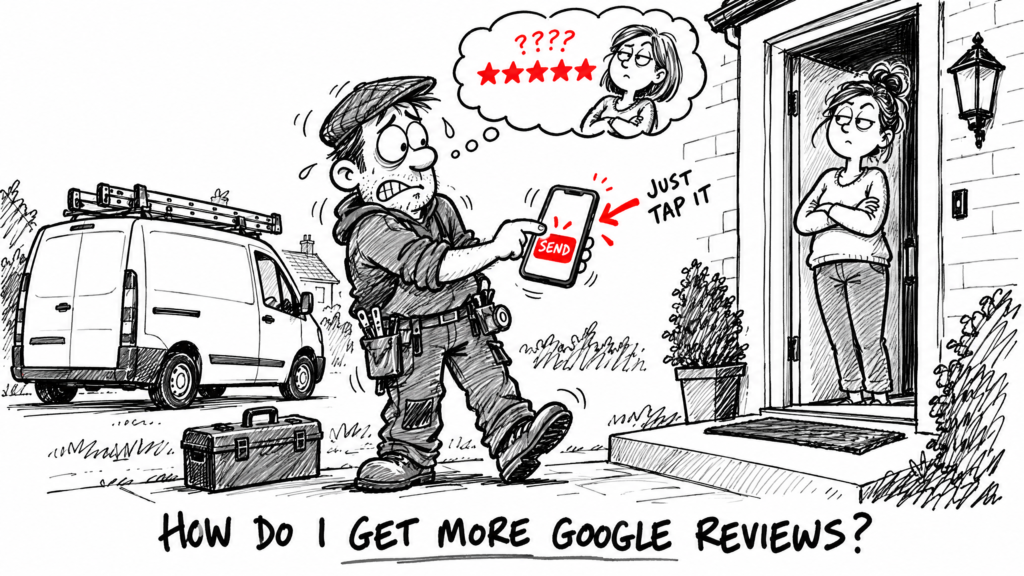
You finished the job. The customer is happy and says so. You’d like a Google review out of it, and then you say nothing, because asking feels pushy. Most trades and small service businesses do exactly this, so the review never gets written. The fix is a ten-second habit that you set up once.
Key Takeaway: Google lets you ask customers for reviews by sharing a link or QR code, and customers expect to be asked. Make the link easy to send, ask every customer shortly after the job, and never offer anything in return.
In this article, you’ll learn:
- Why asking is less awkward than you think
- How to get your Google review link ready
- When to ask and what to say
- The mistakes that can get reviews removed, or worse
- How to reply to reviews, including the bad ones
1. Why Asking Feels Worse Than It Is
The awkward part is in your head. A customer who has just had a good job done has no reason to be offended by a polite request. Many will say yes, and plenty were already planning to say something nice anyway.
What gets in the way is usually one of three things:
- You don’t want to seem pushy. A short, friendly ask isn’t pushy. Repeated chasing is.
- You forget. The job ends, you move on to the next one, and the moment passes.
- It’s fiddly. If the customer has to search for your business and find the review box, many won’t bother.
The second and third are fixable with a system. The first goes away once the ask is part of how you finish every job.
2. Get Your Review Link Ready Before You Ask
Google says you can ask customers for reviews by sharing a Google review link or a QR code. Customers need a Google account to post, and Google says they can create one using a non-Gmail email address.
Google’s help page currently says you create the link or QR code from a computer, not a phone:
- Go to your Business Profile at business.google.com.
- Click Read Reviews, then click Get more reviews.
- Copy the link, or download the QR code.
Google changes these menus from time to time, so if the buttons have moved, search Google’s Business Profile help for “ask for reviews”.
Once you have the link, save it somewhere you can reach in two taps: a saved message on your phone, a pinned WhatsApp note, or a text-expander shortcut. The QR code can go on an invoice, a business card or the back of your van.
Pro Tip: Send the link to yourself and open it on your phone, so you’ve seen what the customer will see before anyone else does.
3. When and How to Ask
When: as soon as the job is done and the customer is pleased, ideally the same day. The work is fresh in their mind and you haven’t become a stranger yet. If you can’t do it on the spot, send it within a day or two.
How: a short message with the link is enough. Here is wording you can change to sound like you:
“Thanks again for having us in today, [name]. If you were happy with the work, a quick Google review would really help a small local business. It only takes a minute: [link]”
Keep these habits:
- Ask in person first, then send the link. “Would you mind leaving us a Google review? I’ll text you the link now.” The text then feels like a favour you agreed, not a cold message.
- Make it one tap. A direct link beats “search for us on Google”.
- Ask every customer. Not only the ones who seemed delighted. The reason is in the next section.
- Don’t write it for them. Let them say what they want to say, in their own words.
- One reminder at most. If they don’t reply, leave it there.
4. What Not to Do
Some shortcuts can lose you reviews or land you in real trouble. Google’s policies for businesses say:
- No incentives. Offering free or discounted goods or services in exchange for a review isn’t allowed. That includes offering something to change or remove a review.
- No cherry-picking. Selectively asking only satisfied customers for positive reviews, or discouraging negative ones, is prohibited.
- No pressure on the premises. Requiring or pressuring customers to leave a review while they’re there is prohibited too.
- No targets for staff. Asking staff to collect a set number of reviews, or reviews with specific content, is not allowed.
- No reviews from people with a conflict of interest. Friends, family and current or former staff shouldn’t be posting reviews for you.
UK government guidance for businesses says the same thing in plainer terms: don’t offer inducements, such as money or gifts, to customers to write positive reviews. Don’t pose as a customer to review your own business, and don’t pay someone else to write fake reviews, because you may be liable for what they do. The guidance says penalties can include a fine of up to 10% of global turnover, and it can be a criminal offence.
The simple rule is this: ask, say thank you, and leave the content and the rating alone.
5. Reply to Every Review, Good and Bad
A reply shows that someone is minding the shop. Google’s own advice for replies is to keep them professional, short and relevant.
For a good review:
- Use the customer’s name and thank them for something specific, such as the job or the way it went.
- Skip the generic “thanks for your review” copy and paste.
- Don’t use the reply to push a deal or promote a service.
For a bad review:
- Reply promptly and calmly, and acknowledge anything that went wrong.
- Don’t share private details about the customer or the job.
- Don’t get personal, and don’t argue.
- Offer to sort it out offline if that’s sensible.
Google notes that a constructive reply may prompt the customer to update their review. And a sensible reply to a bad review also tells the next customer how you handle problems, which can do more good than the review did harm.
Frequently Asked Questions
How many Google reviews do I need?
There’s no magic number. Google says more reviews and positive ratings can help your local ranking, but it doesn’t give a target. Aim to collect them steadily as you finish jobs.
Can I ask for a review by text or WhatsApp?
Yes. Google says you can ask customers by sharing the review link or QR code, and a text or WhatsApp message is a normal way to do it.
Can I give a discount for leaving a review?
No. Google prohibits offering free or discounted goods or services in exchange for reviews, and UK government guidance says not to offer inducements to write positive reviews.
What if I get a bad review?
Reply politely and professionally. Don’t ask the customer to delete it. If a review breaks Google’s content policies, for example it’s fake or off-topic, you can report it. A bad review that is simply honest stays up.
Should I only ask customers I know were happy?
No. Google’s policy prohibits selectively asking only satisfied customers. Ask everyone, and treat the unhappy ones as feedback you can learn from.
Conclusion
Getting more reviews is a habit, not a talent. Set up the review link once, ask every customer while the job is fresh, never offer anything in return, and reply to what comes in. Do that for a few months and your profile starts to look like a business people are choosing.
If you want help getting your profile in order, MTU Projects’ Google Business Profile audit and optimisation is £75 as a one-off, with ongoing management from £40 a month. Or book a free Local Visibility Check: a 20-minute call and a one-page list of the most obvious problems on your profile.
Related Articles
- Is Your Business Invisible on Google Maps? The 60-Second Test for Leeds Businesses
- Why Does My Competitor Show Up on Google Maps and I Don’t?
Written by MTU Projects.