
SEO
3 October 2026
Is Your Business Invisible on Google Maps? The 60-Second Test for Leeds Businesses
Introduction
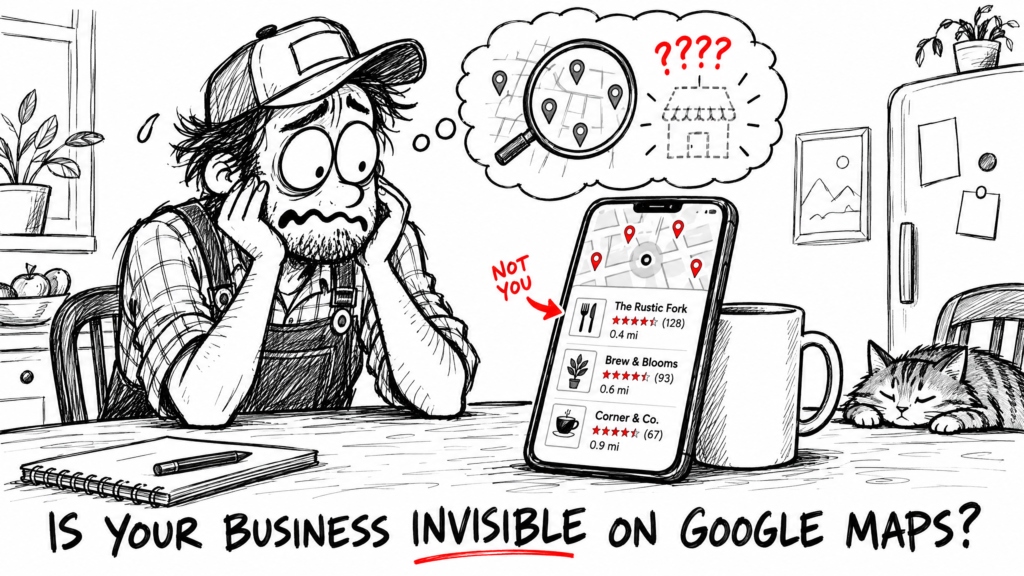
Most business owners have never searched for their own business the way a customer would. They type their company name, see themselves at the top, and assume everything is fine. But a customer who needs an electrician, a cleaner or an accountant in Leeds doesn’t know your name yet. They search for what you do, and the map at the top of the results decides who gets the call. Here’s a quick way to find out whether you’re on it.
Key Takeaway: Searching for your own business name proves nothing. Search for what you do plus your area, on your phone, and see whether you appear in the map results. It takes about a minute.
In this article, you’ll learn:
- How to run the 60-second visibility test properly
- The three searches that show where you stand
- What each result means in plain English
- A five-minute check of your Google Business Profile
- What to fix first if you’re missing
1. Run the Test on Your Phone
Do this on your mobile, because that’s where most local searches happen. It takes about a minute.
- Open a private (incognito) tab so Google isn’t leaning on your own search history.
- Search for what you do plus where you are. For example: “plumber Leeds” or “accountant Headingley”.
- Look at the map and the short list of businesses underneath it. That list is the one customers call from.
- Scroll down and check whether you appear there, or further down in the normal results.
- Write down what you saw. Don’t fix anything yet.
Pro Tip: Google takes into account where the person searching is standing. Run the test from the area your customers search from, or ask a friend on the other side of Leeds to try it and tell you what they see.
2. The Three Searches That Tell You Everything
One search isn’t enough. Each of these tests something different:
| Search | Example | What it tells you |
|---|---|---|
| Your business name | “Smith Electrical Leeds” | Whether Google knows you exist |
| What you do + area | “electrician Leeds” | Whether customers who don’t know you can find you |
| What you do + “near me” | “electrician near me” | Whether you show up for nearby, ready-to-buy searches |
Most businesses pass the first one and fail the other two. The second and third are the ones that bring in new customers, because those searchers haven’t picked anyone yet.
3. What Your Results Actually Mean
You appear in all three. Good. You’re in the running. The question now is where you appear compared with the businesses around you, and a bit of tidying can move you up.
You appear for your name only. This is the most common result. Google knows you exist but doesn’t think you’re a good match for the searches that matter. That’s usually a profile that’s thin on detail: few services listed, vague categories, not many photos or reviews.
You don’t appear anywhere. Either you don’t have a Google Business Profile, it was never verified, or something is wrong with it. This is the easiest one to fix, because the answer is usually sitting in your profile settings.
Google says it ranks local results on three things: relevance (how well your profile matches the search), distance (how far you are from the person searching) and prominence (how well-known you are, including reviews and links to your site). You can’t change the distance, but the other two are very much in your hands.
4. The Five-Minute Profile Check
Log in to your Google Business Profile and look at these five things. They match the advice Google itself gives for improving a local ranking.
- Is it verified? An unverified profile can’t compete properly.
- Is the information complete and current? Opening hours, phone number, website, address or service area.
- Are your categories right? Your main category should say what you actually do, not something close to it.
- Do you have photos? Recent ones of your work, premises or team. A profile with none looks abandoned.
- Are you replying to reviews? Google says positive reviews and helpful replies help a business stand out. Even a short reply to each one counts.
5. What to Fix First
Work through it in this order, because the early fixes cost nothing and make the biggest difference:
- Verify the profile if it isn’t already.
- Fix the basics: correct hours, phone number, website and service area.
- Choose the right main category and add the services you offer.
- Add real photos. Ten decent phone photos beat none.
- Ask recent customers for reviews and reply to the ones you already have.
Nobody can promise you a ranking, and you can’t pay Google for a better local position. What you can do is make your profile complete, accurate and active, which is the part you control. If you’d rather have someone check it for you, that’s what a Local Visibility Check is for.
Frequently Asked Questions
Why do I show up on my phone but my customer says they can’t find me?
Google personalises results using location and search history. You’re also probably searching for your own name, which is the easy one. Test with a private tab, and search what customers search.
Do I need a website to appear on Google Maps?
Your Google Business Profile is what appears on the map, so that’s the starting point. A website gives Google and customers more to go on, and a profile and a site that agree with each other work better together.
How long until I see a difference after fixing my profile?
It varies, and anyone who gives you an exact date is guessing. Simple fixes can show quickly. Reviews and reputation take longer to build.
Can I pay to rank higher on the map?
Google says you can’t pay for a better local ranking. Results marked as sponsored are adverts, which is a separate thing.
How often should I run this test?
About once a month, or any time you change your services, opening hours or address. It takes a minute.
Conclusion
If you’ve never searched for your business the way a customer would, do the 60-second test today. It will tell you whether Google Maps is sending you enquiries or sending them to someone else. If you’re missing from the map, the fixes are mostly free and mostly down to a complete, accurate profile.
Want a second pair of eyes on it? Book a free Local Visibility Check: a 20-minute call and a one-page list of the most obvious problems on your profile.
Related Articles
- How to Rank in Leeds’ Local Pack: A Local SEO Checklist
- Google Just Killed GBP Q&A — Here’s What Ask Maps Means for Your Leeds Business
Written by MTU Projects.