
Strategy
10 November 2026
Do I need a CRM for a small trade business?
Contents
- What a CRM is, in plain English
- When a notebook or spreadsheet is enough
- Signs you’ve outgrown it
- What a CRM does on a normal working day
- What it costs to own one
Introduction
A roofer takes a call halfway up a ladder, says “I’ll ring you back tonight”, and writes the number on the back of their hand. By the time they get home, they’ve washed it off. That gap between the first call and the quote is where a lot of small trade businesses lose work.
The short answer: if you’re a one-person business doing a handful of jobs a week, a notebook or a spreadsheet will do. Once you have staff or subcontractors, more quotes out than you can remember, or customers asking “did you get my message?”, it’s worth looking at a CRM.
In this article, you’ll learn:
- what a CRM is and what it isn’t
- when you can carry on without one
- the signs that the notebook has stopped working
- what using one looks like on a normal day
- what a CRM build from us costs, and what it costs to run
1. What a CRM is, in plain English
CRM stands for customer relationship management. For a trade business, that means one place that holds every enquiry, every quote, every job and every invoice, and shows you where each one is.
Think of it as the whiteboard in the van, except it’s on your phone, it doesn’t get wiped, and it reminds you when something is late.
It isn’t accounting software. You’ll still want your accountant, or something like Xero or QuickBooks, for your tax return. A CRM sits before that: it gets the work in and gets it done.
2. When a notebook or spreadsheet is enough
If you work alone, take a few jobs a week and can remember who you owe a price to, keep the notebook. Paying for software you don’t need is a waste of money, and nobody should sell you one in that position.
A spreadsheet works well for a while too. One row per customer, a column for the date you quoted and a column for whether they said yes. It’s free and you already know how to use it.
The trouble starts when the spreadsheet only works if you update it, and you’re updating it at 10pm after a twelve-hour day.
3. Signs you’ve outgrown it
Watch for these:
- You’ve lost track of a quote and found out weeks later that the customer went elsewhere.
- You can’t say where your last ten jobs came from: Google, a referral, Facebook or a van sign.
- Your staff or subcontractors ring you to ask what’s on tomorrow.
- Invoices go out late because the job details are in three places.
- You keep meaning to ask happy customers for a Google review, and you never do.
If two or three of those sound familiar, the notebook is costing you work. We wrote more about the quote problem in Quote sent, customer gone quiet.
4. What a CRM does on a normal working day
Here’s how the CRM we build works, from the first call to the review. Other systems do similar things in their own way.
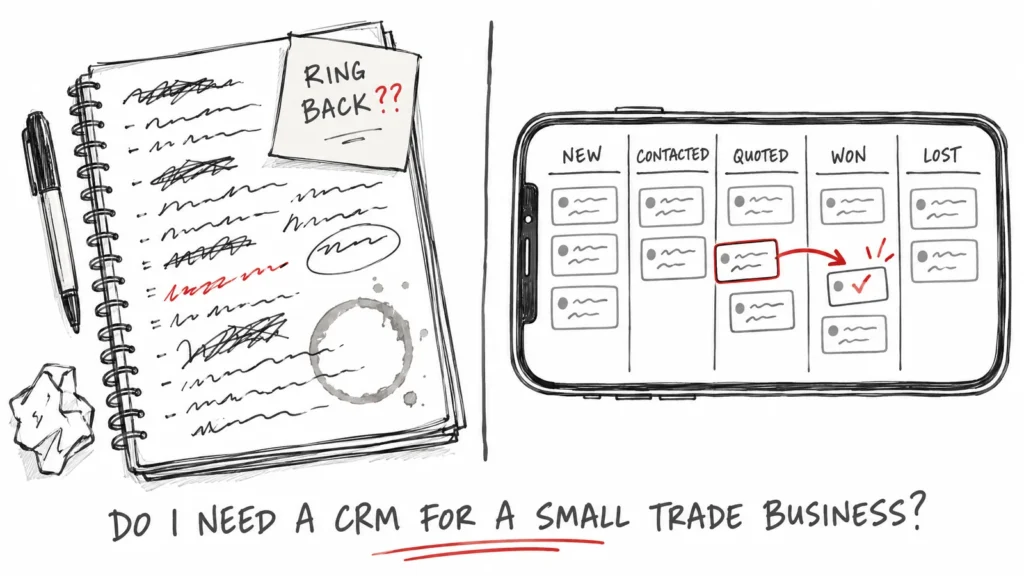
Someone rings. You add them as a lead, with what they want and how they found you. Their card goes into a pipeline with columns like New, Contacted, Quoted, Won and Lost, and you drag it along as things happen. On a phone there’s a Move button instead of dragging.
You write the quote in the system and download it as a PDF. Nothing is emailed to a customer until you press the button yourself. When they say yes, you move them to Won. They become a customer, the job is set up for you, and the quote turns into an invoice without you typing it again.
The contract goes out as a link. The customer reads it on their phone and types their name to sign. When the job is finished, the system can email them a short thank-you with your Google review link and remind you to follow up a week later.
Every morning there’s one list of what’s late and what’s due today. That list is what replaces the back of your hand.
Pro tip: the field that matters most is “came from”. Fill it in for every lead, and after a few months you’ll know which marketing brings in work and which doesn’t. We go into this in Where do your enquiries come from?
5. What it costs to own one
There are two ways to get a CRM: pay a monthly subscription for an off-the-shelf one, or have one built and set up for your business. Subscriptions are quick to start, but you pay every month for as long as you use it, and you fit your business around the software.
We do the second. The build is £1,500, paid 50% up front and 50% before handover. It covers setting it up for how you work: your name and logo, your services and prices, your contract templates, moving your existing customers and subcontractors across, and a handover session.
After that, it runs on a Cloudflare account in your own name, on your own card, at about £4 a month. You own the account and the data. We remove our access at handover, and there’s no monthly fee to us. If you want help later, we quote for it when you ask.
The CRM is the same one we use to run MTU Projects.
Frequently asked questions
Is a CRM worth it for a sole trader?
Usually not, if you work alone and only take a few jobs a week. It starts to make sense when you have more quotes out than you can remember, or when someone else needs to see the diary.
Can I use it on my phone?
Yes. You can add it to your home screen and it opens like an app. Moving a card between columns works with a button on a phone instead of dragging.
Does it do my accounts?
No. It handles quotes, jobs and invoices, and it shows what you’ve earned each month. Your bookkeeping and tax return still go through your accountant or your accounting software.
What happens to my data if I stop working with you?
Nothing changes. The account is in your name and on your card, so the system and the data stay with you.
Can it send messages to customers without me knowing?
No. Quotes, contracts and review requests only go out when you press the button.
Conclusion
A notebook is fine until it starts losing you jobs. Watch for lost quotes, staff ringing you for the diary, late invoices and reviews you never ask for. When two or three of those are happening every week, it’s time for one system that holds the lot.
If you’d like to see the CRM working, or talk through whether you need one at all, get in touch.
Related articles
Written by MTU Projects.