
Strategy
28 October 2026
Should I put prices on my trade website?
Contents
- What a customer does before they ring you
- “Every job’s different” (and other reasons people don’t)
- What to put on the page
- The calls you stop getting
- Keeping your prices honest
Introduction
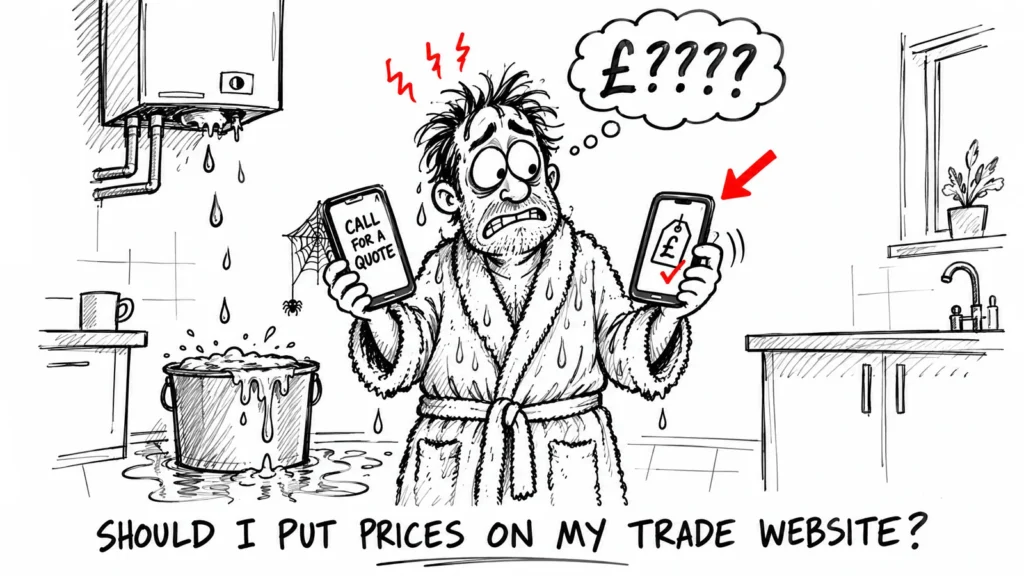
Someone with a dripping boiler finds three plumbers on Google. Two have websites that say “call for a quote”. The third has a page that says what a boiler service costs. I know which one I’d ring first, and I think most people are the same.
The short answer: yes, for most trades. Put fixed prices on the jobs that really are fixed, “from” prices or a range on the rest, and say what changes the price. You don’t have to publish a price list for every job to get the benefit.
In this article, you’ll learn:
- why a customer looking at your website is usually comparing you with someone else
- the common reasons trades leave prices off, and what to do about each one
- which prices to show and how to word them
- which enquiries stop coming in once your prices are on the page (and why that’s fine)
- how to keep your prices up to date without it becoming a job in itself
1. What a customer does before they ring you
Most people who land on your website have already searched for your trade and your town, and they’ve got a few tabs open. They’re not reading every word. They’re checking three things: do you do the job, do you cover their area, and roughly what will it cost.
The first two are on almost every trade website. The third usually isn’t, and that’s the gap. If your site says nothing about price, the customer has two choices: ring you and ask, or go back to the tab that already told them. A lot of people would rather not ring three firms just to hear a number.
2. “Every job’s different” (and other reasons people don’t)
These are the usual reasons trades give, and none of them mean you can’t show a price.
| What people say | What to do |
|---|---|
| Every job’s different | Show a “from” price or a range |
| Competitors will undercut me | They can ring you and ask anyway |
| My prices change | Put a “last updated” date on the page |
| I’ll scare people off | Say what’s included |
“Every job’s different” is true for a full bathroom refit. It isn’t true for a boiler service or a gas safety certificate, and most trades have a few jobs like that. Start with those.
On undercutting: a competitor who wants to know your prices can already find out with one phone call. Leaving them off your site stops customers seeing them, not competitors.
3. What to put on the page
Split your jobs into three groups.
- Fixed jobs, where the price barely changes. A boiler service, a landlord gas safety certificate, an EICR on a standard house. Show the price.
- Time-based jobs, like repairs and call-outs. Show the call-out charge and the hourly rate after that.
- Big or variable jobs, like a boiler swap or a rewire. Show a range, then list what pushes it up or down: moving the boiler, the size of the house, access, the parts the customer picks.
Under every price, say whether it includes VAT, what’s included and what isn’t. That one line stops most of the arguments later.
When I built Daniel’s website (he’s a Gas Safe engineer in Leeds), each of his four service pages got its own prices, along with FAQs about the job. You can see how the site was put together in the Content Plumbing and Heating case study.
Pro tip: put the price near the top of the service page, not at the bottom of a long block of text. If someone has to scroll past five paragraphs to find it, plenty of them won’t.
4. The calls you stop getting
Once your prices are on the page, some enquiries stop. These are usually the people who wanted the cheapest price going and were never going to book you anyway. That’s fewer wasted quote visits, which is time you can spend on paid work.
The people who do ring have already seen a number and they’re still interested. The conversation starts from “when can you come?” more often than “how much?”.
If you’re worried about losing work, try it on one or two fixed-price jobs first. Keep a note of the enquiries for a couple of months before and after, and see what changes. (A simple enquiry log is enough; I wrote about tracking where enquiries come from if you want a way to do it.)
5. Keeping your prices honest
A price on your website has to be one you’ll actually charge. If a customer sees £90 online and gets a bill for £130 with no explanation, you’ve lost more than you would have by leaving the price off.
- Check your prices every time your costs go up, and at least once a year.
- Add a “prices last checked” date, so customers know they’re current.
- Use “from” only when the job can really be done for that price. A “from” price nobody ever pays does more harm than good.
- Keep the same prices everywhere: your website, your Google Business Profile and anything you send out.
Frequently asked questions
Will showing prices make me look expensive?
Only if the customer can’t see what they’re paying for. A price with a short list of what’s included looks fair. A bare number with nothing around it is easier to compare on price alone.
Should I show prices with or without VAT?
Most of your customers will be households, so show the price they’ll actually pay and say clearly whether VAT is included. If you’re not VAT registered, say that too.
What if a job turns out to cost more than the price on my site?
Explain why before you start the extra work, and get the customer’s OK. That’s why the “what changes the price” line under each price is worth having.
Do I need a separate prices page?
Not always. For most trades it works better to put each price on the page for that service, so someone looking for a boiler service sees the boiler service price straight away.
Can I add prices to my website myself?
On most website builders, yes. It’s a line of text on each service page. The harder part is deciding the wording, and the three groups in section 3 are a good place to start.
Conclusion
You don’t need a full price list to get the benefit. Fixed prices on the fixed jobs, “from” prices and ranges on the rest, and a line saying what changes the price will answer the question most of your visitors came with. Start with two or three jobs and keep the prices current.
If your website doesn’t show prices yet, or you’d like a site built around the jobs you actually do, have a look at how I build websites for trades.
Related articles
- How much does a website cost for a small business in the UK?
- What’s included in a website design package?
Written by MTU Projects.