Category: SEO

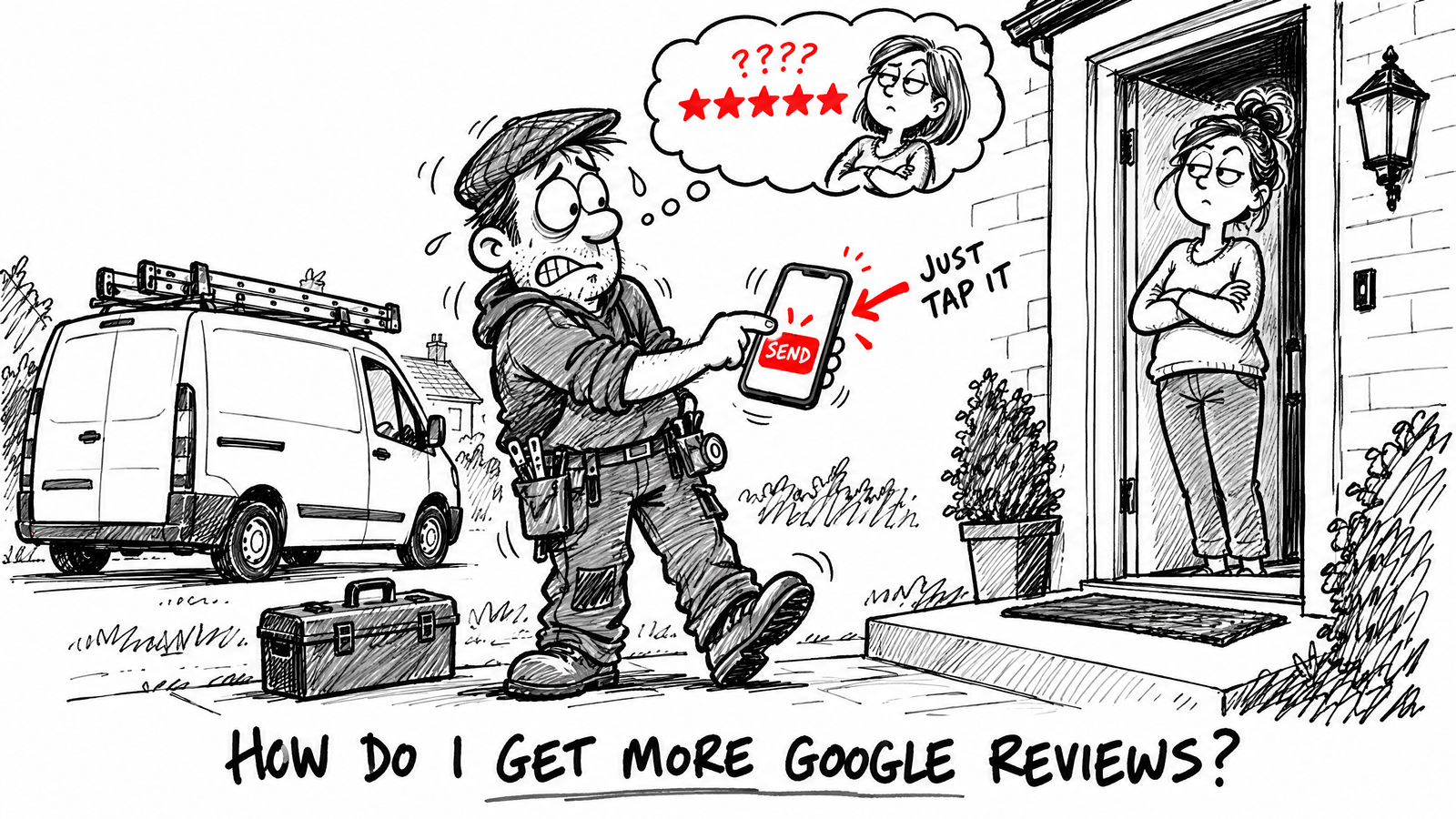
  • How Do I Get More Google Reviews Without Feeling Awkward Asking?

    How Do I Get More Google Reviews Without Feeling Awkward Asking?

    Introduction

    You finished the job. The customer is happy and says so. You’d like a Google review out of it, and then you say nothing, because asking feels pushy. Most trades and small service businesses do exactly this, so the review never gets written. The fix is a ten-second habit that you set up once.

    Key Takeaway: Google lets you ask customers for reviews by sharing a link or QR code, and customers expect to be asked. Make the link easy to send, ask every customer shortly after the job, and never offer anything in return.

    In this article, you’ll learn:

    • Why asking is less awkward than you think
    • How to get your Google review link ready
    • When to ask and what to say
    • The mistakes that can get reviews removed, or worse
    • How to reply to reviews, including the bad ones

    1. Why Asking Feels Worse Than It Is

    The awkward part is in your head. A customer who has just had a good job done has no reason to be offended by a polite request. Many will say yes, and plenty were already planning to say something nice anyway.

    What gets in the way is usually one of three things:

    • You don’t want to seem pushy. A short, friendly ask isn’t pushy. Repeated chasing is.
    • You forget. The job ends, you move on to the next one, and the moment passes.
    • It’s fiddly. If the customer has to search for your business and find the review box, many won’t bother.

    The second and third are fixable with a system. The first goes away once the ask is part of how you finish every job.

    Google says you can ask customers for reviews by sharing a Google review link or a QR code. Customers need a Google account to post, and Google says they can create one using a non-Gmail email address.

    Google’s help page currently says you create the link or QR code from a computer, not a phone:

    1. Go to your Business Profile at business.google.com.
    2. Click Read Reviews, then click Get more reviews.
    3. Copy the link, or download the QR code.

    Google changes these menus from time to time, so if the buttons have moved, search Google’s Business Profile help for “ask for reviews”.

    Once you have the link, save it somewhere you can reach in two taps: a saved message on your phone, a pinned WhatsApp note, or a text-expander shortcut. The QR code can go on an invoice, a business card or the back of your van.

    Pro Tip: Send the link to yourself and open it on your phone, so you’ve seen what the customer will see before anyone else does.

    3. When and How to Ask

    When: as soon as the job is done and the customer is pleased, ideally the same day. The work is fresh in their mind and you haven’t become a stranger yet. If you can’t do it on the spot, send it within a day or two.

    How: a short message with the link is enough. Here is wording you can change to sound like you:

    “Thanks again for having us in today, [name]. If you were happy with the work, a quick Google review would really help a small local business. It only takes a minute: [link]”

    Keep these habits:

    1. Ask in person first, then send the link. “Would you mind leaving us a Google review? I’ll text you the link now.” The text then feels like a favour you agreed, not a cold message.
    2. Make it one tap. A direct link beats “search for us on Google”.
    3. Ask every customer. Not only the ones who seemed delighted. The reason is in the next section.
    4. Don’t write it for them. Let them say what they want to say, in their own words.
    5. One reminder at most. If they don’t reply, leave it there.

    4. What Not to Do

    Some shortcuts can lose you reviews or land you in real trouble. Google’s policies for businesses say:

    • No incentives. Offering free or discounted goods or services in exchange for a review isn’t allowed. That includes offering something to change or remove a review.
    • No cherry-picking. Selectively asking only satisfied customers for positive reviews, or discouraging negative ones, is prohibited.
    • No pressure on the premises. Requiring or pressuring customers to leave a review while they’re there is prohibited too.
    • No targets for staff. Asking staff to collect a set number of reviews, or reviews with specific content, is not allowed.
    • No reviews from people with a conflict of interest. Friends, family and current or former staff shouldn’t be posting reviews for you.

    UK government guidance for businesses says the same thing in plainer terms: don’t offer inducements, such as money or gifts, to customers to write positive reviews. Don’t pose as a customer to review your own business, and don’t pay someone else to write fake reviews, because you may be liable for what they do. The guidance says penalties can include a fine of up to 10% of global turnover, and it can be a criminal offence.

    The simple rule is this: ask, say thank you, and leave the content and the rating alone.

    5. Reply to Every Review, Good and Bad

    A reply shows that someone is minding the shop. Google’s own advice for replies is to keep them professional, short and relevant.

    For a good review:

    • Use the customer’s name and thank them for something specific, such as the job or the way it went.
    • Skip the generic “thanks for your review” copy and paste.
    • Don’t use the reply to push a deal or promote a service.

    For a bad review:

    • Reply promptly and calmly, and acknowledge anything that went wrong.
    • Don’t share private details about the customer or the job.
    • Don’t get personal, and don’t argue.
    • Offer to sort it out offline if that’s sensible.

    Google notes that a constructive reply may prompt the customer to update their review. And a sensible reply to a bad review also tells the next customer how you handle problems, which can do more good than the review did harm.

    Frequently Asked Questions

    How many Google reviews do I need?

    There’s no magic number. Google says more reviews and positive ratings can help your local ranking, but it doesn’t give a target. Aim to collect them steadily as you finish jobs.

    Can I ask for a review by text or WhatsApp?

    Yes. Google says you can ask customers by sharing the review link or QR code, and a text or WhatsApp message is a normal way to do it.

    Can I give a discount for leaving a review?

    No. Google prohibits offering free or discounted goods or services in exchange for reviews, and UK government guidance says not to offer inducements to write positive reviews.

    What if I get a bad review?

    Reply politely and professionally. Don’t ask the customer to delete it. If a review breaks Google’s content policies, for example it’s fake or off-topic, you can report it. A bad review that is simply honest stays up.

    Should I only ask customers I know were happy?

    No. Google’s policy prohibits selectively asking only satisfied customers. Ask everyone, and treat the unhappy ones as feedback you can learn from.

    Conclusion

    Getting more reviews is a habit, not a talent. Set up the review link once, ask every customer while the job is fresh, never offer anything in return, and reply to what comes in. Do that for a few months and your profile starts to look like a business people are choosing.

    If you want help getting your profile in order, MTU Projects’ Google Business Profile audit and optimisation is £75 as a one-off, with ongoing management from £40 a month. Or book a free Local Visibility Check: a 20-minute call and a one-page list of the most obvious problems on your profile.


    Written by MTU Projects.

  • Why Does My Competitor Show Up on Google Maps and I Don’t? The Honest Answer

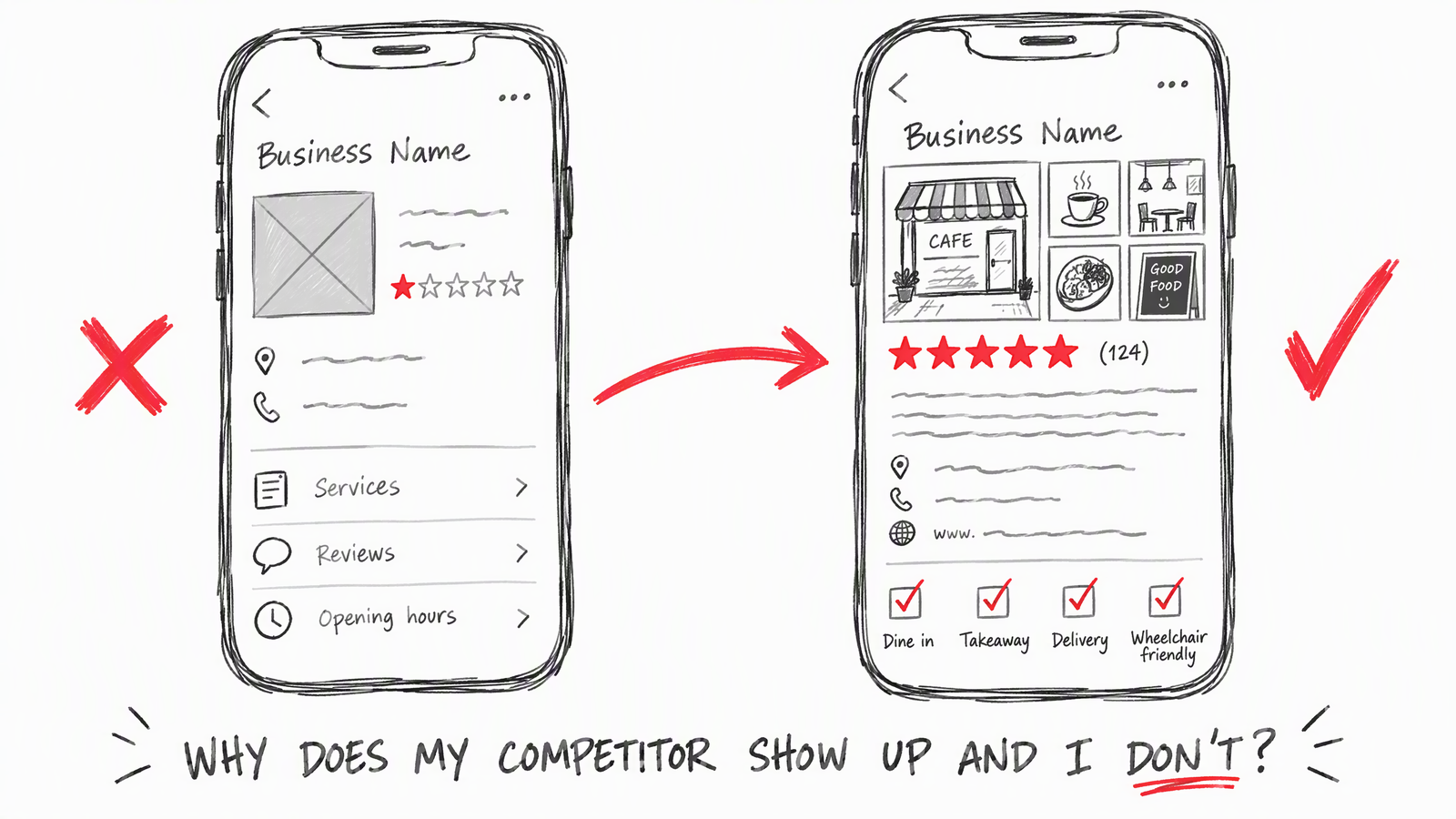
    Why Does My Competitor Show Up on Google Maps and I Don’t? The Honest Answer

    Introduction

    You search for your own trade in Leeds and there’s your competitor, right on the map. You’ve been doing the job for years. Your work is as good as theirs, probably better. So why them and not you? The honest answer is rarely “they’re better at the job”. It’s usually that their profile tells Google more, and tells it more convincingly.

    Key Takeaway: Google decides who shows on the map using three things: relevance, distance and prominence. You can’t change distance, but a competitor who beats you is usually winning on the other two, and you can catch up on both.

    In this article, you’ll learn:

    • The three things Google uses to rank local businesses
    • Why distance isn’t the end of the story
    • How relevance and prominence decide close contests
    • How to compare your profile against a competitor properly
    • What the gap usually turns out to be

    1. Google Ranks Local Businesses on Three Things

    Google has published how local results are ranked. In plain English:

    Factor What Google means Can you change it?
    Relevance How well your profile matches what the person searched for Yes
    Distance How far you are from the person searching No
    Prominence How well-known your business is Yes, over time

    There’s no secret fourth factor. Google also says you can’t request or pay for a better local ranking. Adverts marked as sponsored are a separate thing, and the map listings underneath them aren’t bought.

    2. Distance: The One You Can’t Change

    If your competitor’s premises are closer to the person searching, that gives them an edge, and you can’t move your shop to fix it. Google uses the searcher’s location, or a known location if they haven’t shared one.

    Two things to take from that. First, it explains why a competitor can appear above you from one street and below you from another. It isn’t random. Second, distance only decides things when everything else is level. A closer business with a thin, neglected profile can still lose to a slightly further one with a complete, active profile. That’s the part you can work on.

    3. Relevance: Does Google Know What You Do?

    Relevance is about matching the search. If someone searches “emergency electrician” and your profile never says you do emergency callouts, you’re asking Google to guess.

    What to check on your profile:

    • Main category: it should say exactly what you do. A near-miss category costs you searches.
    • Other categories and services: list everything you genuinely offer, not just the first thing you set up.
    • Description: plain and factual. What you do, who for and where. No sales slogans.
    • Service area: the places you actually cover, set correctly.
    • Business information: complete and current. Google’s own advice is to keep it that way.

    A competitor with a full profile gives Google more to match against more searches. That’s often the whole story.

    4. Prominence: How Well-Known You Look

    Prominence is Google’s measure of how well-known a business is. Google says more reviews and positive ratings help, and it also looks at how many other websites link to your business.

    In practice, that means:

    • Reviews: how many, how good and how recent. Replying to them shows you’re active, and Google says positive reviews and helpful replies help you stand out.
    • Photos and videos: real ones, added regularly.
    • Links and mentions: other websites referring to you, such as local directories, suppliers or press.
    • A website that backs the profile up: the same business details, clear about what you do.

    This is the one that takes time. A competitor who has been asking happy customers for reviews for three years has a head start, but a head start can be closed.

    5. How to Compare Yourself Fairly

    Open your profile and your competitor’s side by side on your phone and go through this list:

    1. Main category: the same as yours, or more specific?
    2. Number of reviews and average rating: the gap, in plain numbers.
    3. Most recent review: this week, or six months ago?
    4. Do they reply to reviews? And do you?
    5. Photos: how many, and how recent?
    6. Services and description: how much have they filled in compared with you?
    7. Website: does the profile link to a proper site that matches?

    Write the answers down. Usually two or three of those stand out. That’s your list, and it’s a better use of an evening than guessing.

    Sometimes the honest answer is that they’re simply closer, or have been established longer, and you won’t catch them on every search. Even then you can win the searches around the edges: other parts of Leeds, specific services, and “near me” searches from where you are strongest.

    Frequently Asked Questions

    Is my competitor paying Google to rank above me?

    Not for the map listings. Google says you can’t pay for a better local ranking. If you see a result labelled as sponsored, that’s an advert.

    Does having more reviews guarantee a higher ranking?

    No. Reviews are one part of prominence, and Google weighs relevance and distance as well. But a profile with very few reviews is at a disadvantage against one with plenty of recent ones.

    Can I do anything about distance?

    Not about where you are. You can make sure your service area is set correctly, so you appear for the places you actually cover.

    How long does it take to catch up?

    It depends on the gap and how competitive your trade is in Leeds. Profile fixes can show up quickly. Building reviews and reputation takes longer, and nobody can honestly promise a date.

    Should I just copy what my competitor has done?

    Use them as a checklist, not a template. Match anything they do well, then add what makes you different: your services, your area, your real photos and your own customers’ reviews.

    Conclusion

    When a competitor shows up on the map and you don’t, it comes down to relevance, distance and prominence. You can’t change the distance, but you can make your profile clearer about what you do and build up a reputation that backs it up. Compare your profile against theirs, find the two or three biggest gaps, and fix those first.

    Want to know where you actually stand? Book a free Local Visibility Check: a 20-minute call and a one-page list of the most obvious problems holding your profile back.


    Written by MTU Projects.

  • Is Your Business Invisible on Google Maps? The 60-Second Test for Leeds Businesses

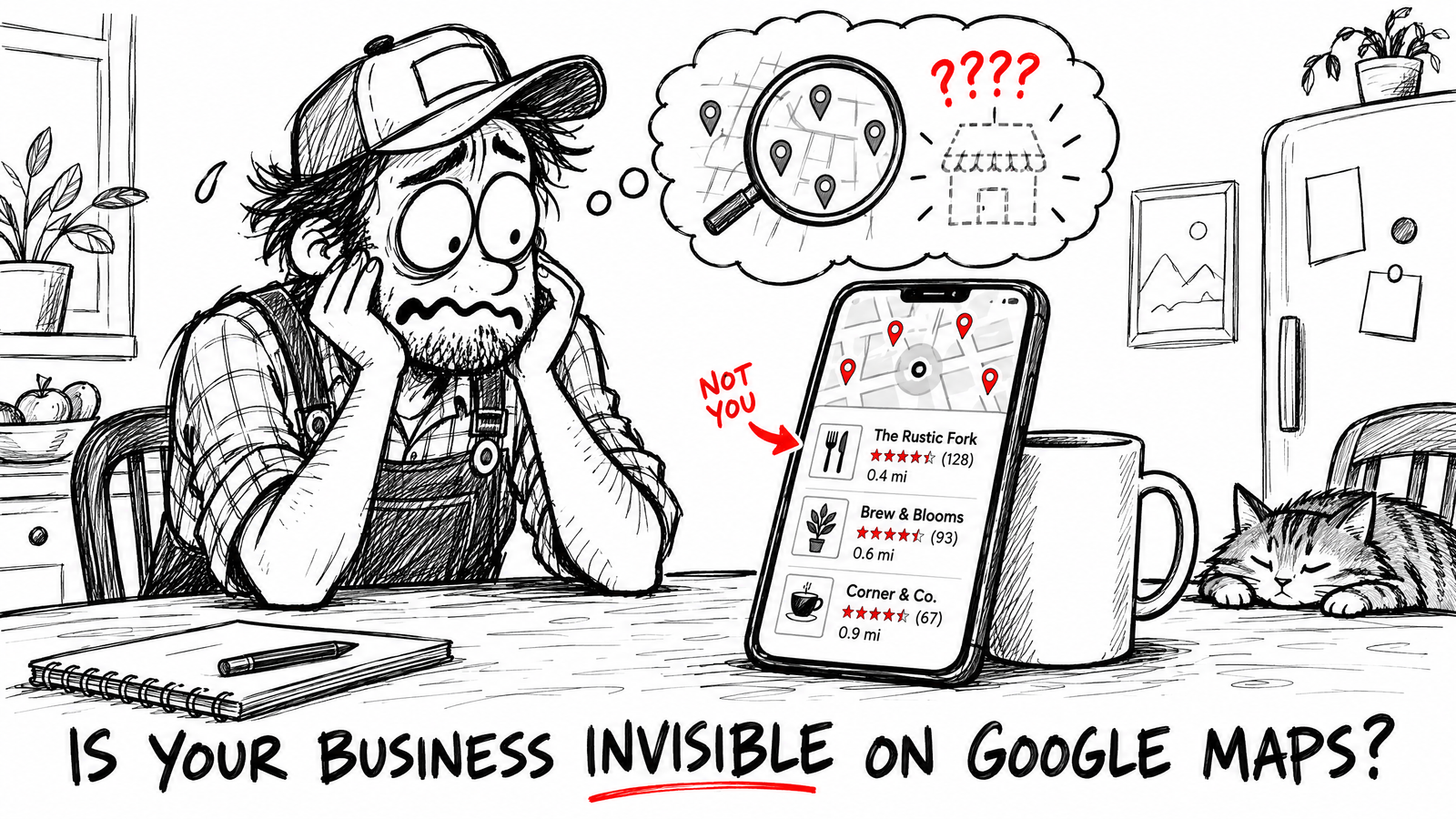
    Is Your Business Invisible on Google Maps? The 60-Second Test for Leeds Businesses

    Introduction

    Most business owners have never searched for their own business the way a customer would. They type their company name, see themselves at the top, and assume everything is fine. But a customer who needs an electrician, a cleaner or an accountant in Leeds doesn’t know your name yet. They search for what you do, and the map at the top of the results decides who gets the call. Here’s a quick way to find out whether you’re on it.

    Key Takeaway: Searching for your own business name proves nothing. Search for what you do plus your area, on your phone, and see whether you appear in the map results. It takes about a minute.

    In this article, you’ll learn:

    • How to run the 60-second visibility test properly
    • The three searches that show where you stand
    • What each result means in plain English
    • A five-minute check of your Google Business Profile
    • What to fix first if you’re missing

    1. Run the Test on Your Phone

    Do this on your mobile, because that’s where most local searches happen. It takes about a minute.

    1. Open a private (incognito) tab so Google isn’t leaning on your own search history.
    2. Search for what you do plus where you are. For example: “plumber Leeds” or “accountant Headingley”.
    3. Look at the map and the short list of businesses underneath it. That list is the one customers call from.
    4. Scroll down and check whether you appear there, or further down in the normal results.
    5. Write down what you saw. Don’t fix anything yet.

    Pro Tip: Google takes into account where the person searching is standing. Run the test from the area your customers search from, or ask a friend on the other side of Leeds to try it and tell you what they see.

    2. The Three Searches That Tell You Everything

    One search isn’t enough. Each of these tests something different:

    Search Example What it tells you
    Your business name “Smith Electrical Leeds” Whether Google knows you exist
    What you do + area “electrician Leeds” Whether customers who don’t know you can find you
    What you do + “near me” “electrician near me” Whether you show up for nearby, ready-to-buy searches

    Most businesses pass the first one and fail the other two. The second and third are the ones that bring in new customers, because those searchers haven’t picked anyone yet.

    3. What Your Results Actually Mean

    You appear in all three. Good. You’re in the running. The question now is where you appear compared with the businesses around you, and a bit of tidying can move you up.

    You appear for your name only. This is the most common result. Google knows you exist but doesn’t think you’re a good match for the searches that matter. That’s usually a profile that’s thin on detail: few services listed, vague categories, not many photos or reviews.

    You don’t appear anywhere. Either you don’t have a Google Business Profile, it was never verified, or something is wrong with it. This is the easiest one to fix, because the answer is usually sitting in your profile settings.

    Google says it ranks local results on three things: relevance (how well your profile matches the search), distance (how far you are from the person searching) and prominence (how well-known you are, including reviews and links to your site). You can’t change the distance, but the other two are very much in your hands.

    4. The Five-Minute Profile Check

    Log in to your Google Business Profile and look at these five things. They match the advice Google itself gives for improving a local ranking.

    1. Is it verified? An unverified profile can’t compete properly.
    2. Is the information complete and current? Opening hours, phone number, website, address or service area.
    3. Are your categories right? Your main category should say what you actually do, not something close to it.
    4. Do you have photos? Recent ones of your work, premises or team. A profile with none looks abandoned.
    5. Are you replying to reviews? Google says positive reviews and helpful replies help a business stand out. Even a short reply to each one counts.

    5. What to Fix First

    Work through it in this order, because the early fixes cost nothing and make the biggest difference:

    1. Verify the profile if it isn’t already.
    2. Fix the basics: correct hours, phone number, website and service area.
    3. Choose the right main category and add the services you offer.
    4. Add real photos. Ten decent phone photos beat none.
    5. Ask recent customers for reviews and reply to the ones you already have.

    Nobody can promise you a ranking, and you can’t pay Google for a better local position. What you can do is make your profile complete, accurate and active, which is the part you control. If you’d rather have someone check it for you, that’s what a Local Visibility Check is for.

    Frequently Asked Questions

    Why do I show up on my phone but my customer says they can’t find me?

    Google personalises results using location and search history. You’re also probably searching for your own name, which is the easy one. Test with a private tab, and search what customers search.

    Do I need a website to appear on Google Maps?

    Your Google Business Profile is what appears on the map, so that’s the starting point. A website gives Google and customers more to go on, and a profile and a site that agree with each other work better together.

    How long until I see a difference after fixing my profile?

    It varies, and anyone who gives you an exact date is guessing. Simple fixes can show quickly. Reviews and reputation take longer to build.

    Can I pay to rank higher on the map?

    Google says you can’t pay for a better local ranking. Results marked as sponsored are adverts, which is a separate thing.

    How often should I run this test?

    About once a month, or any time you change your services, opening hours or address. It takes a minute.

    Conclusion

    If you’ve never searched for your business the way a customer would, do the 60-second test today. It will tell you whether Google Maps is sending you enquiries or sending them to someone else. If you’re missing from the map, the fixes are mostly free and mostly down to a complete, accurate profile.

    Want a second pair of eyes on it? Book a free Local Visibility Check: a 20-minute call and a one-page list of the most obvious problems on your profile.


    Written by MTU Projects.

  • Google Just Killed GBP Q&A — Here’s What Ask Maps Means for Your Leeds Business

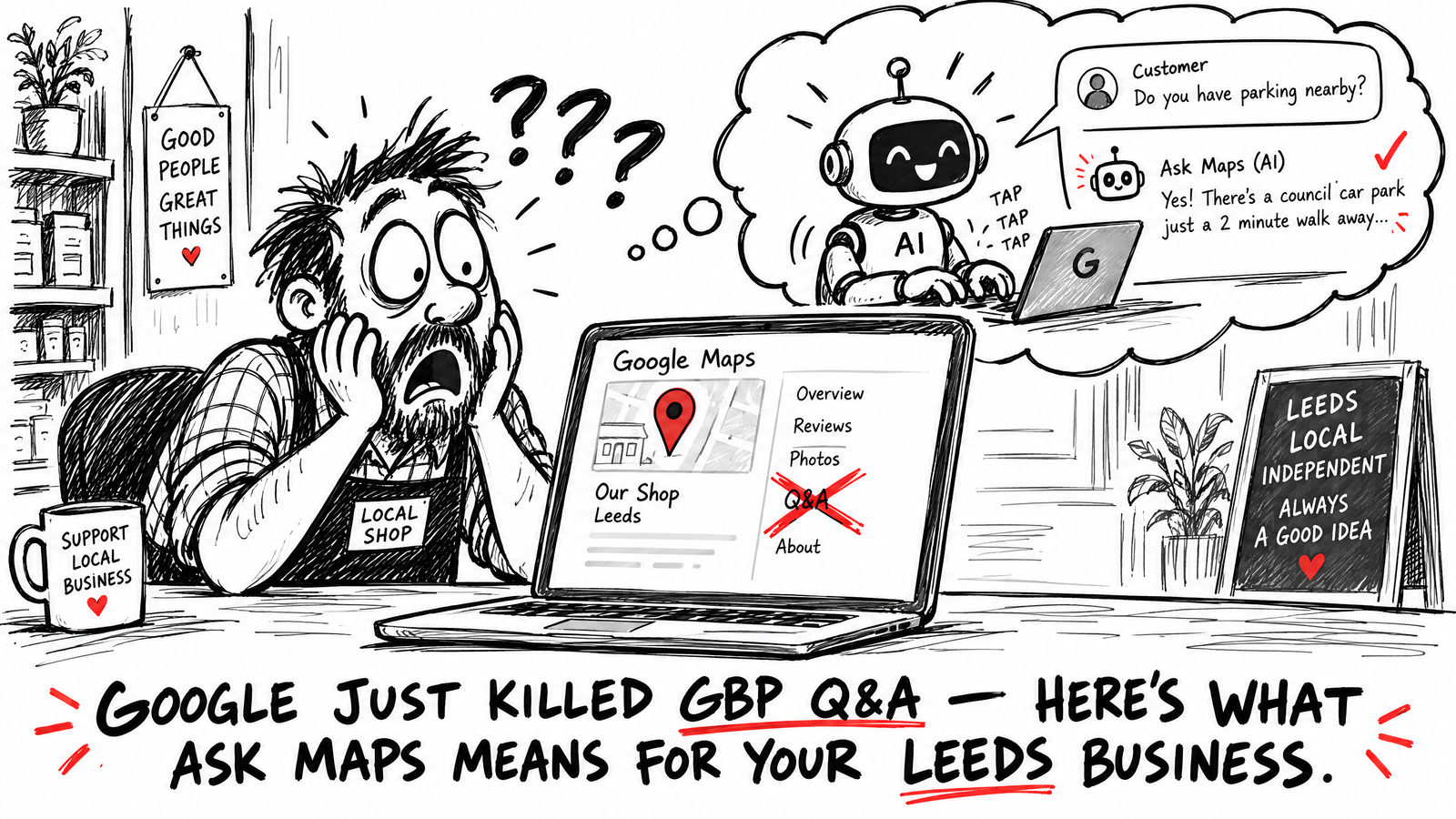
    Google Just Killed GBP Q&A — Here’s What Ask Maps Means for Your Leeds Business

    Introduction

    If you’ve logged into your Google Business Profile recently and noticed the Q&A section has vanished, you’re not imagining it — Google has officially discontinued it. In its place is Ask Maps, an AI tool that answers customer questions about your business on its own, using whatever information it can find. For local businesses, that’s a bigger deal than it sounds: it changes who’s actually answering the questions your customers are asking, and it lands alongside a wider shift in how Google ranks local businesses at all.

    Key Takeaway: Google Business Profile’s Q&A section is gone, replaced by an AI tool (Ask Maps) that answers customer questions from your profile and public information automatically — and a completeness score set by things like hours, services and photos now has a much bigger, more direct effect on whether you show up in the local pack.

    In this article, you’ll learn:

    • What actually changed with GBP Q&A and Ask Maps
    • Why Google made the switch
    • The completeness-and-ranking change happening at the same time
    • What this means for a Leeds or Yorkshire business specifically
    • What to check on your own profile this week

    1. What Actually Changed

    The Q&A section — where customers could post a question and anyone (including you) could answer it — has been discontinued. It’s been replaced by Ask Maps, an AI-powered feature that generates answers to customer questions automatically, pulled from your Google Business Profile, your website, and other public sources it can find about your business.

    Alongside this, a handful of other changes are landing at the same time: native multi-location post scheduling for businesses with more than one site, WhatsApp replacing Business Chat as a customer messaging channel, and AI-generated Q&A answers that sit behind a review gate before they go live.

    2. Why Google Replaced Q&A With Ask Maps

    The old Q&A section had a real problem: anyone could post an answer, including competitors, and plenty of profiles had outdated or plain wrong answers sitting there unchecked for months. Ask Maps is Google’s attempt to fix that by generating answers itself, in real time, from whatever accurate information it can find.

    The catch is what “accurate information it can find” actually means in practice. If your profile, website and other public listings are patchy, out of date, or inconsistent with each other, Ask Maps is working from bad source material — and it’ll say so to your customers.

    3. The Bigger Change Hiding Behind It: Completeness Now Hits Rankings Harder

    Ask Maps isn’t the only shift. Google’s local search algorithm has moved weight toward “popularity” signals — things like click-through rate and how much people actually engage with your profile — rather than relying mostly on historical authority.

    At the same time, a March 2026 core update tightened the link between your profile’s completeness score and whether you show up in the local pack at all. Businesses missing hours, services, photos or attributes are seeing rankings drop disproportionately — a half-finished profile isn’t just missing detail any more, it’s actively working against you.

    Review recency and how quickly you respond to reviews now matter more than the raw number of reviews you’ve collected. A business with 40 reviews and no recent activity can lose ground to a competitor with 15 reviews and a habit of responding to each one within a day or two.

    4. What This Means If You’re a Leeds or Yorkshire Business

    Local search in Leeds and the wider Yorkshire area is genuinely competitive — trades, hospitality, professional services, all fighting for the same local pack slots. These changes raise the bar in a specific direction: it’s no longer enough to have claimed your profile and left it mostly alone. Google is now actively rewarding profiles that are complete, current, and getting engaged with — and penalising the ones that aren’t.

    Practically, that means:

    • A patchy or outdated profile costs you more than it used to. It’s not neutral any more — it actively works against your ranking.
    • Ask Maps will answer for you whether you like it or not. If your information online is wrong or inconsistent, that’s what gets repeated to your customers.
    • Review habits matter more than review volume. Responding regularly beats chasing a bigger number.

    5. What to Check on Your Profile This Week

    A short, practical list — not a full audit, just the obvious gaps Ask Maps and the completeness score are most likely to catch:

    1. Hours — confirmed correct, including any seasonal or holiday changes.
    2. Services list — every service you actually offer, listed and described, not just the two or three you set up years ago.
    3. Photos — recent, and enough of them (exterior, interior, team, work examples where relevant).
    4. Website and address consistency — the same details on your profile as on your website and any other listings.
    5. Recent reviews — and whether you’ve responded to the last handful.

    Pro Tip: If it’s been more than six months since you last opened your Google Business Profile dashboard, that’s usually the single biggest sign it needs attention — completeness tends to quietly decay as services, hours or photos go stale.

    Frequently Asked Questions

    Can I still answer customer questions directly, now Q&A is gone?

    Not through the old Q&A format — that’s been discontinued. Ask Maps generates answers automatically from your profile and public information, which is exactly why keeping that information accurate matters more now.

    Will a few missing details really affect my ranking that much?

    According to the March 2026 update, yes — businesses missing hours, services, photos or attributes are seeing disproportionate ranking drops, not just a minor penalty.

    Do I need more reviews to compete?

    Not necessarily. Review recency and your response rate now weigh more heavily than raw review count, so responding consistently to what you already have matters more than chasing volume.

    What is Ask Maps actually pulling information from?

    Your Google Business Profile, your website, and other public sources about your business — which is why inconsistent details across those sources is a real risk, not just an inconvenience.

    Is this worth sorting myself, or should I get help?

    A lot of it is straightforward — hours, photos, services — and worth doing yourself as a first pass. Where it gets harder is knowing what’s actually dragging your ranking down versus what’s cosmetic, which is where a proper audit earns its keep.

    Conclusion

    Google Business Profile has quietly stopped being a “set it up once and leave it” listing. Between Ask Maps answering on your behalf and completeness now hitting your local pack ranking directly, a profile that’s been left alone for a year or two is actively costing you visibility, not just sitting neutral. The fix isn’t complicated — it’s making sure what’s there is accurate, current and complete — but it does need actually doing.

    If you’d rather have someone check it properly, MTU Projects’ Google Business Profile audit and optimisation is a one-off £75 setup, with ongoing management from £40/month if you want it kept current. Get in touch and we’ll take a look.


    Written by MTU Projects.

  • How to Rank in Leeds’ Local Pack: A Local SEO Checklist

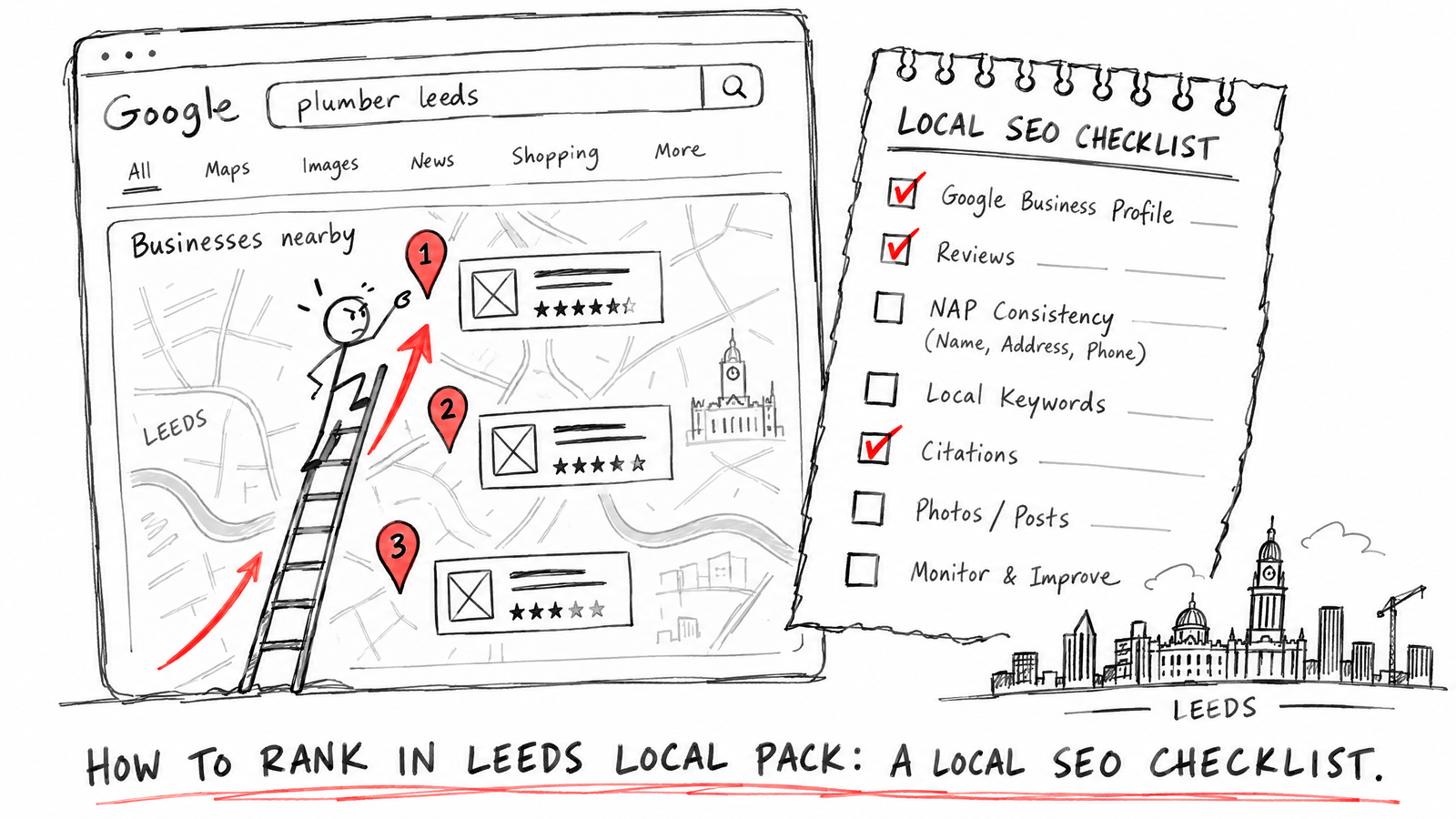
    How to Rank in Leeds’ Local Pack: A Local SEO Checklist

    Introduction

    If you search for almost any local service in Leeds — a plumber, a web designer, an accountant — the first thing you see isn’t the organic results. It’s the local pack: a map and three businesses, sitting above everything else. If your business isn’t one of those three, you’re already below the fold before a single organic result loads.

    Key Takeaway: Ranking in Leeds’ local pack is a specific, learnable checklist — not luck, and not something that requires a huge marketing budget.

    In this article, you’ll learn:

    • Why the local pack matters more than organic position for local searches
    • What Google actually weighs when choosing who appears there
    • The Google Business Profile basics most businesses get wrong
    • Why reviews matter more than most business owners assume
    • How to check where you currently stand

    1. Why the local pack matters more than organic position

    For a search with clear local intent — “plumber leeds”, “web design leeds” — Google shows the local pack above all ten organic results. Organic position 1 is, in practice, often the fourth or fifth thing a searcher actually sees, behind the map and any directory listings above it.

    What this means for your marketing

    Ranking organically without also appearing in the local pack leaves the highest-visibility real estate on the page to your competitors. The two aren’t the same fight, and winning one doesn’t guarantee the other.

    2. What Google actually weighs for local pack inclusion

    Three broad factors decide who shows up: relevance (does your profile match the search), distance (how close you are to the searcher), and prominence (how well-known and well-reviewed your business is).

    The factor most businesses ignore

    Prominence is the one businesses most often neglect — it’s built from reviews, citations, and how complete and active your Google Business Profile is, not from anything on your website.

    3. The Google Business Profile basics most businesses get wrong

    Category selection

    Many businesses pick a broad or slightly wrong primary category out of habit, when a more specific one would match search intent better. A web designer choosing “Marketing agency” as their primary category, for instance, competes in a broader, harder field than necessary.

    Completeness

    1. Verified address and service area set correctly
    2. Opening hours kept accurate, including holidays
    3. Photos added regularly, not just at setup
    4. Every question in the Q&A section answered by the business, not left to strangers

    4. Why reviews matter more than most business owners assume

    Established local competitors in most towns hold well over a hundred reviews each. Ten genuine reviews won’t match that — but zero reviews guarantees exclusion from serious consideration, both by Google’s ranking systems and by the customer comparing you against someone with visible social proof.

    A review habit that actually works

    Weak approach Stronger approach
    A generic “please review us” email, sent weeks later A direct review link sent the same day, while the job is fresh
    No response to reviews received A reply to every review, good or bad

    5. How to check where you currently stand

    A five-minute self-audit

    1. Search your main service plus your town, from a phone, signed out of Google
    2. Note whether you appear in the local pack at all
    3. Compare your review count and photos against whoever does appear
    4. Check whether your category matches what you’d expect a customer to search

    Pro Tip: Search from a different device or account than the one you use daily — Google personalises results based on your own search history, which can make your own ranking look better than it actually is for a new customer.

    Frequently Asked Questions

    How many reviews do I need to appear in the local pack?

    There’s no fixed number — it’s relative to your competitors. Ten reviews can be enough in a quiet market and nowhere near enough in a competitive one.

    Can I appear in the local pack without a website?

    Sometimes, briefly — but a website gives you somewhere to answer questions, show pricing and convert the click once someone does find you, and supports the wider ranking signals over time.

    Does my website’s SEO affect my Google Business Profile ranking?

    Yes, indirectly — a website that clearly and consistently describes your services and area feeds into the relevance signal Google uses for your profile too.

    How often should I post to Google Business Profile?

    Consistency matters more than frequency — a steady trickle of real updates beats a burst of activity followed by months of silence.

    What’s the fastest single change I can make?

    Checking your primary category is correct and specific — it costs nothing, takes minutes, and directly affects which searches you’re even eligible to appear for.

    Conclusion

    The local pack sits above every organic result for local searches, and getting into it is a specific, checkable process — category, completeness, reviews — not a mystery. Most businesses that aren’t appearing there are missing one or two of these basics, not doing everything wrong.

    If you want a proper look at where your profile and site currently stand, see our local SEO service for Leeds businesses or book a free audit call.


    Written by MTU Projects.

  • The five things killing your local search ranking

    The five things killing your local search ranking

    Introduction

    If you run a trades or service business in Leeds and customers keep telling you they “found you on Google” less often than they used to, it’s rarely one big problem. It’s usually five small, boring ones stacked on top of each other — broken basics that don’t feel like “real” SEO work, which is exactly why they get missed.

    Key Takeaway: Fixing these five things costs little or nothing, and each one directly affects whether Google trusts your business enough to show it to nearby customers.

    In this article, you’ll learn:

    • Why inconsistent contact details quietly undermine your local rankings
    • Why an empty Google Business Profile signals a business that isn’t managed
    • Why one page can’t rank for every town you serve
    • Why mobile speed matters more for local searches specifically
    • Why waiting for reviews to happen naturally rarely works

    1. Inconsistent name, address and phone number across directories

    Google cross-checks your business details against every directory, listing and citation it can find — Yell, Bark, Checkatrade, your own website footer. When they don’t match, it doesn’t just look untidy. It undermines the trust signal Google uses to decide whether your listing is legitimate.

    What this looks like in practice

    A plumber we audited had three different phone numbers live across five directories — an old mobile, a landline that had been disconnected, and the current number. None of the listings agreed with each other, and the website footer used a fourth variation with different spacing.

    How to fix it

    1. List every place your business appears online — Google Business Profile, directories, your own site, social profiles.
    2. Pick one exact format for your name, address and phone number and use it everywhere, including punctuation and spacing.
    3. Update the incorrect listings one at a time, starting with Google Business Profile.
    4. Recheck in a few weeks — some directories take time to re-crawl and update.

    2. No Google Business Profile posts or photos

    An empty, stale Google Business Profile signals a business that isn’t actively managed — to customers scrolling past it, and to Google’s own ranking systems.

    Why activity matters

    Google Business Profile rewards recency. A profile with no photos in two years and zero posts reads as dormant, even if the business behind it is thriving. Customers notice too — a profile with real, recent photos of the actual work looks more trustworthy than a logo and nothing else.

    What to actually post

    • Photos of completed jobs, with the customer’s permission
    • Short updates — a new service added, a seasonal offer, an area you’ve started covering
    • Answers to the questions customers actually ask in the Q&A section

    3. Missing location pages

    If you serve more than one town or area, each one deserves its own page — not just a mention in a footer list.

    Why one page can’t cover several towns

    A single page trying to rank for “plumber in Leeds”, “plumber in Wakefield” and “plumber in Pontefract” at once dilutes the relevance signal for all three. Google generally rewards a page that is clearly about one place over a page that mentions several in passing.

    What a location page needs

    | Minimum viable | Better | Best |
    |—|—|—|
    | Town name in the H1 | + local landmarks/areas named | + a real job example from that town |
    | One paragraph | A few paragraphs of genuine local detail | Genuine customer reference from that area |

    4. Slow-loading pages on mobile

    Most local searches happen on a phone, standing in front of the problem that needs fixing. If your site drags, people bounce before they even see what you offer — and Google’s own ranking systems weigh page experience more heavily for these queries.

    Quick things to check yourself

    • Open your own site on your phone using mobile data, not wifi, and time how long it takes to feel usable
    • Check whether your homepage loads large, uncompressed images
    • Count how many plugins or scripts your site loads that you don’t actually use

    When it’s worth getting help

    If the site feels sluggish even on a good connection, or you don’t know where to start looking, that’s usually a sign the underlying build needs attention rather than a quick settings tweak.

    5. No reviews strategy

    Reviews are both a ranking factor and a trust signal, and waiting for them to happen on their own rarely works — happy customers are busy, not lazy.

    A simple system that actually gets reviews

    1. Ask at the moment satisfaction is highest — right after the job’s done, not weeks later
    2. Send a direct link to your Google review page, not a vague “leave us a review” request
    3. Respond to every review, good or bad — it shows the profile is actively managed

    Pro Tip: A text message sent the same day, with a direct review link and nothing else to click, consistently outperforms an email sent a week later asking the same thing.

    Frequently Asked Questions

    How long does it take to see results from fixing these five things?

    NAP consistency and Google Business Profile activity can show measurable change within a few weeks. Ranking improvements for competitive local terms usually take longer and depend on how established your competitors already are.

    Do I need a location page for every town I’ve ever done a job in?

    No — build one for the towns you actively want more work from, not every place you’ve been once.

    Can I fix my Google Business Profile myself?

    Yes. Claiming it, correcting your category, and adding photos and posts are all things you can do without technical help — the barrier is usually time, not skill.

    Does a slow website really affect local rankings, or just user experience?

    Both. Google’s page experience signals feed into ranking, and a slow site also loses visitors who would otherwise have contacted you — a rankings problem and a conversion problem at once.

    What if I don’t have any reviews yet?

    Start asking after your next few jobs. Ten genuine reviews beats zero, even against competitors with far more — zero reviews is what actually excludes you from consideration.

    Conclusion

    None of these five things need a big budget to fix. They need someone to actually go through the checklist — consistent contact details everywhere, an actively managed Google Business Profile, a page for each town you serve, a fast mobile site, and a simple habit of asking for reviews.

    If you’d rather have someone go through that checklist for you, see our local SEO service for Leeds businesses.


    Written by MTU Projects.